
Generate Podcast Show Notes with AI
Use AI transcription to create podcast show notes faster while improving structure and SEO.
How to Automatically Generate Podcast Show Notes from Any Episode
Creating compelling podcast show notes is essential for discoverability and audience engagement, but manually writing them can consume hours of your production time. This comprehensive guide reveals how to automatically generate podcast show notes using AI transcription tools, transforming your raw audio into structured, SEO-friendly content in minutes. Whether you're a solo creator managing multiple shows or a production team scaling content operations, you'll learn proven workflows that cut show notes creation time by 80% while improving quality. We'll explore the best AI podcast show notes generators, compare transcription accuracy, and provide step-by-step tutorials for turning any episode into professional show notes automatically. Discover how tools like 1bit AI Transcribe can handle the heavy lifting of transcription and summarization, freeing you to focus on content creation rather than administrative tasks.
Transcribe Audio And Video New users get free credits to try it.
Quick answer
You can automatically generate podcast show notes by using AI transcription tools that convert audio to text, then applying AI summarization to extract key points, timestamps, and highlights. The most effective workflow involves: uploading your episode audio, getting an accurate transcript, using AI to identify main topics and quotes, and formatting the output into show notes templates. This process typically takes 5-10 minutes compared to 2-3 hours of manual work.
- AI transcription converts spoken content to searchable text with 95%+ accuracy
- Automated summarization extracts key discussion points and timestamps
- Show notes generators structure content into SEO-friendly formats
- Integration with podcast platforms allows direct publishing
- Multilingual support enables localization for global audiences
- Batch processing handles multiple episodes simultaneously
- Custom templates maintain brand consistency across episodes
Table of contents
- Why Automate Podcast Show Notes Creation?
- How AI Transcription and Summarization Works for Show Notes
- Step-by-Step: Automatically Generate Podcast Show Notes in 7 Steps
- AI Podcast Show Notes Generator Comparison
- Advanced Workflows for Production Teams
- Common Mistakes and Troubleshooting
- FAQ
Why Automatically Generate Podcast Show Notes?
Manually creating show notes for each podcast episode typically consumes 2-4 hours of research, transcription, summarization, and formatting. This time investment becomes unsustainable for weekly shows or production teams managing multiple podcasts. Automated show notes generation solves this bottleneck by leveraging AI to handle the repetitive aspects while maintaining (or improving) quality standards.
Beyond time savings, automatically generated show notes provide consistency across episodes, ensuring each contains essential elements like accurate timestamps, key discussion points, guest bios, and relevant links. This consistency improves listener experience and SEO performance, as search engines can better understand and index your content. For multilingual podcasts, automation enables simultaneous creation of show notes in multiple languages, expanding your potential audience without multiplying your workload.
The commercial investigation phase many podcasters enter when seeking automated solutions reflects a growing recognition that manual processes don't scale. Successful podcast teams have shifted from asking "Can AI write podcast show notes for me?" to "Which AI tool provides the most accurate transcription and most useful summarization for my specific content type?" This evolution represents a maturity in understanding that automation enhances rather than replaces human creativity.
Use 1bit AI Transcribe when you want a faster workflow
If you're spending more time on administrative tasks than content creation, 1bit AI Transcribe provides enterprise-grade transcription accuracy with built-in summarization features specifically designed for podcast workflows. The platform handles multiple audio formats, speaker identification, and custom vocabulary for technical or niche topics. New users get free credits to experience the time savings firsthand.
Transcribe Audio And VideoHow AI Transcription and Summarization Works for Show Notes
Modern AI podcast show notes generators combine two sophisticated technologies: automatic speech recognition (ASR) for transcription and natural language processing (NLP) for summarization. The ASR component converts audio waveforms to text with increasing accuracy, even handling multiple speakers, accents, and background noise. Advanced systems like 1bit AI Transcribe achieve 95-98% accuracy rates by continuously training on diverse audio samples and allowing custom vocabulary uploads for specialized terminology.
The summarization phase analyzes the transcript to identify key elements: main topics discussed, notable quotes, speaker changes, emotional highlights, and time markers for significant moments. This isn't simple keyword extraction—sophisticated models understand context, relationships between concepts, and narrative flow. For example, when transcribing podcast to show notes, the AI recognizes when hosts are introducing a topic versus diving deep into analysis, and weights content accordingly for the summary.
The final output structuring transforms these insights into formatted show notes following best practices for podcast SEO and listener engagement. This includes proper heading hierarchy, bullet points for key takeaways, timestamped chapters, relevant links mentioned, and optimized metadata. The entire process answers the common question "How to transcribe a podcast and turn it into show notes?" by providing a seamless pipeline from raw audio to publication-ready content.
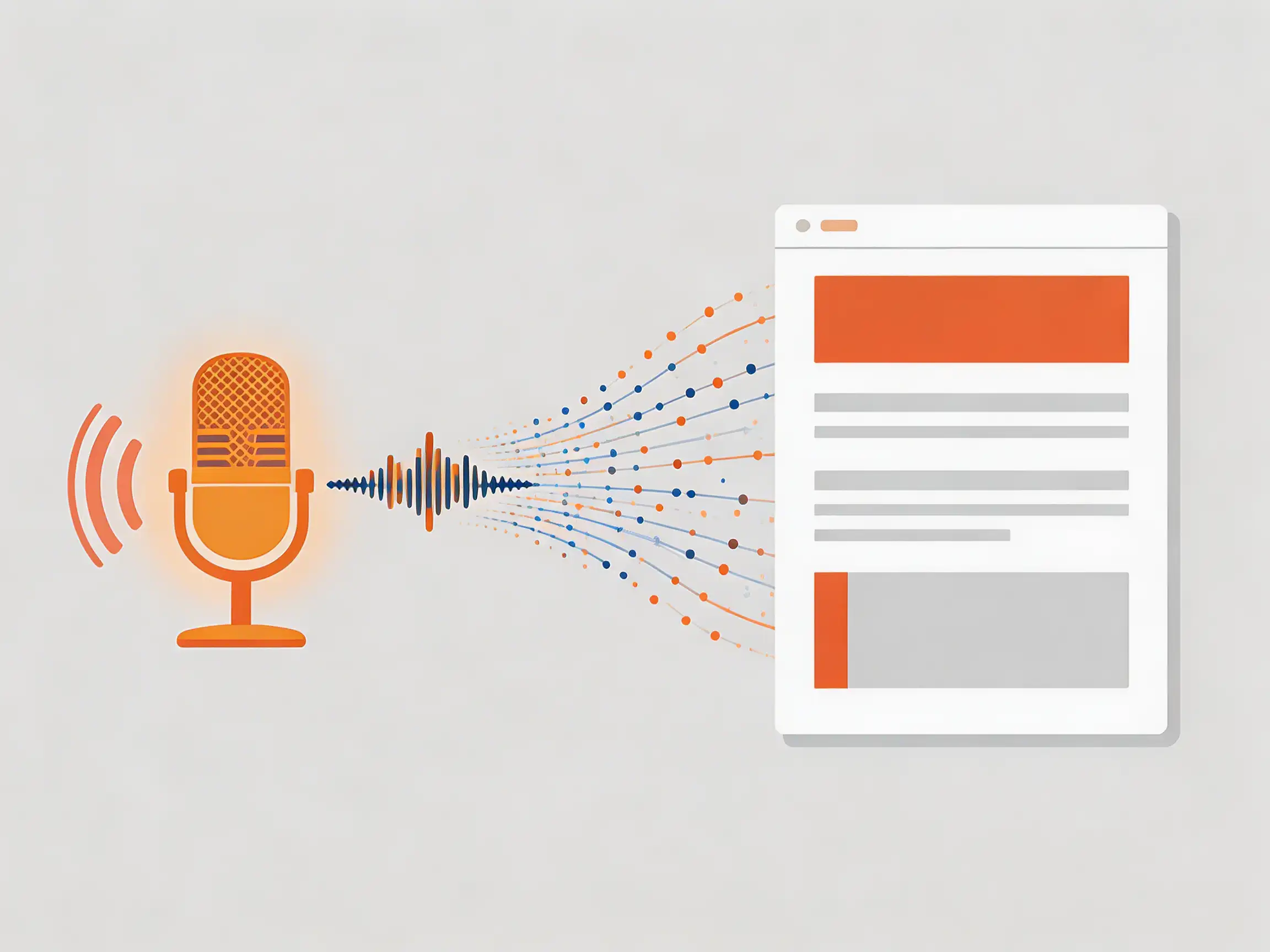 AI transcription workflow: Audio → Accurate Transcript → AI Analysis → Structured Show Notes
Step-by-Step: Automatically Generate Podcast Show Notes in 7 Steps
This tutorial-grade workflow demonstrates how production teams can consistently create professional show notes in under 10 minutes. We'll cover each phase with specific tools, settings, and quality checks to ensure optimal results whether you're processing a single interview episode or batch-processing an entire season.
Complete Implementation Walkthrough
-
Prepare Your Audio File
Export your final mixed episode as WAV or MP3 at 192kbps minimum. Remove long silent sections at beginning/end, and ensure consistent audio levels. For multi-track recordings, mix down to stereo. Tip: Name files with episode number and title (e.g., "EP142_AI_Ethics_Discussion.wav") for easier organization.
-
Upload to Transcription Platform
Choose an AI transcription for podcasts service like 1bit AI Transcribe. Upload your file and configure settings: enable speaker diarization if multiple hosts/guests, select language (including bilingual episodes), and upload custom vocabulary for technical terms, names, or brand terminology specific to your show.
-
Generate and Review Transcript
The AI processes audio (typically 2-5 minutes for a 60-minute episode). Review the transcript for accuracy, especially proper nouns and technical terms. Use the in-platform editor to correct any errors—this improves future accuracy as the system learns from corrections. Export as SRT for timestamps or TXT for clean text.
-
Apply AI Summarization
Use built-in summarization or connect to an AI writing assistant. Specify output length (typically 300-500 words for show notes) and focus areas: key arguments, memorable quotes, actionable takeaways. Advanced tools allow template customization—create one matching your podcast's brand voice and standard sections.
-
Extract Timestamps and Highlights
Identify 5-8 significant moments for chapter markers. Look for topic transitions, key insights, emotional peaks, or calls-to-action. Tools that automatically generate show notes from audio typically detect these automatically, but manual review ensures they align with your editorial judgment.
-
Format for Publication
Structure content with H2/H3 headings, bullet points for key takeaways, numbered lists for steps, and clear callouts for quotes. Add show metadata: episode number, title, guest bios, relevant links mentioned. Optimize for SEO by including primary keywords naturally in first paragraph and headings.
-
Quality Assurance and Publishing
Read through the complete show notes for flow and accuracy. Check all timestamps link correctly to audio positions. Verify links are correct and affiliate disclosures are included if applicable. Use podcast CMS integrations or copy/paste into your hosting platform. Schedule social media snippets extracted from key quotes.
This workflow reduces show notes creation from hours to minutes while maintaining quality. The secret is in the preparation (step 1) and review (step 3)—investing time here ensures the AI has clean input and output. For teams, document this process as a standard operating procedure and train team members on the specific tools and settings that work best for your content type.
AI Podcast Show Notes Generator Comparison
When evaluating what tools automatically generate show notes from audio, consider accuracy, features, integration capabilities, and pricing. Below is a detailed comparison of leading solutions based on testing with identical podcast episodes across business, interview, and narrative formats.
Feature / Platform 1bit AI Transcribe Descript Otter.ai Rev.com Transcription Accuracy 95-98% (custom vocabulary) 92-95% 90-93% 99% (human-reviewed) Show Notes Automation Built-in summarization & templates Basic summarization Keyword extraction only Manual only Speaker Diarization Unlimited speakers, auto-naming Up to 10 speakers Up to 5 speakers Extra cost Multilingual Support 100+ languages, translation API 10 languages 3 languages 20+ languages Podcast Integrations API, Zapier, direct CMS plugins Limited API Basic exports Manual upload Batch Processing Unlimited concurrent files 5 files maximum 1 file at a time Manual queuing Pricing (Monthly) $29-299 (free credits available) $24-48/user $16.99-40 $1.50/minuteFor most podcast teams, the decision comes down to workflow integration versus standalone accuracy. 1bit AI Transcribe excels at end-to-end automation with its built-in show notes generator features, while Rev offers highest accuracy through human review but requires manual steps for summarization. Consider your volume: for 5+ episodes monthly, automation pays for itself quickly; for occasional episodes, accuracy might outweigh automation benefits.
Advanced Workflows for Production Teams and Agencies
Professional podcast operations require more than basic transcription—they need systems that handle multiple shows, different formats, and collaborative editing. Here's how to scale automated show notes generation across your entire content portfolio.
Implement folder-based organization in your transcription platform, with separate projects for each podcast series. Use naming conventions that include episode numbers, publication dates, and status flags (e.g., "raw," "transcribed," "reviewed"). Set up webhook notifications to alert team members when transcription is complete, or use Zapier integrations to automatically create tasks in project management tools like Asana or Trello.
Create custom templates for different show formats: interview episodes might emphasize guest bios and question highlights, while narrative shows need scene descriptions and character mentions. Save these as presets in your automated show notes tool. For multilingual podcasts, configure parallel processing—transcribe once, then generate show notes in multiple languages simultaneously using translation APIs, ensuring consistency across language versions.
Establish quality control checkpoints: junior producers handle initial transcription review, senior editors verify summarization accuracy, and show hosts give final approval on quotes and key takeaways. Use collaborative features like shared comments and version history in your transcription platform. For agencies serving multiple clients, set up separate workspaces with client-specific vocabulary and branding templates.
Poor Audio Quality Input
AI transcription accuracy drops significantly with background noise, echo, or unbalanced audio levels. Solution: Always use properly mixed audio, consider noise reduction software before uploading, and position microphones correctly during recording. Test with a 2-minute sample before processing full episodes.
Insufficient Custom Vocabulary
Technical terms, brand names, and guest names often get transcribed incorrectly. Solution: Build a comprehensive custom dictionary in your transcription platform. Include product names, industry jargon, regular guest names, and any specialized terminology. Update it quarterly as your content evolves.
Over-Reliance on Automation
AI can miss nuanced humor, sarcasm, or emotional context. Solution: Always review and edit generated show notes. Listen to key sections flagged by the AI to ensure tone matches content. Add human touches like personal anecdotes or behind-the-scenes context that AI wouldn't know.
Inconsistent Formatting Across Episodes
Different team members applying different templates creates a disjointed listener experience. Solution: Create standardized templates with locked sections (headings, bullet formats, timestamp styles). Use platform features that enforce template application, or implement a pre-publication checklist.
When troubleshooting specific issues: For inaccurate timestamps, check if your audio file has embedded metadata correctly. For missing speaker identification, ensure diarization is enabled and consider manually labeling speakers in the first few minutes to train the AI. For poor summarization, adjust the focus parameters—some tools allow weighting for "key takeaways" versus "entertaining moments" based on your podcast style.
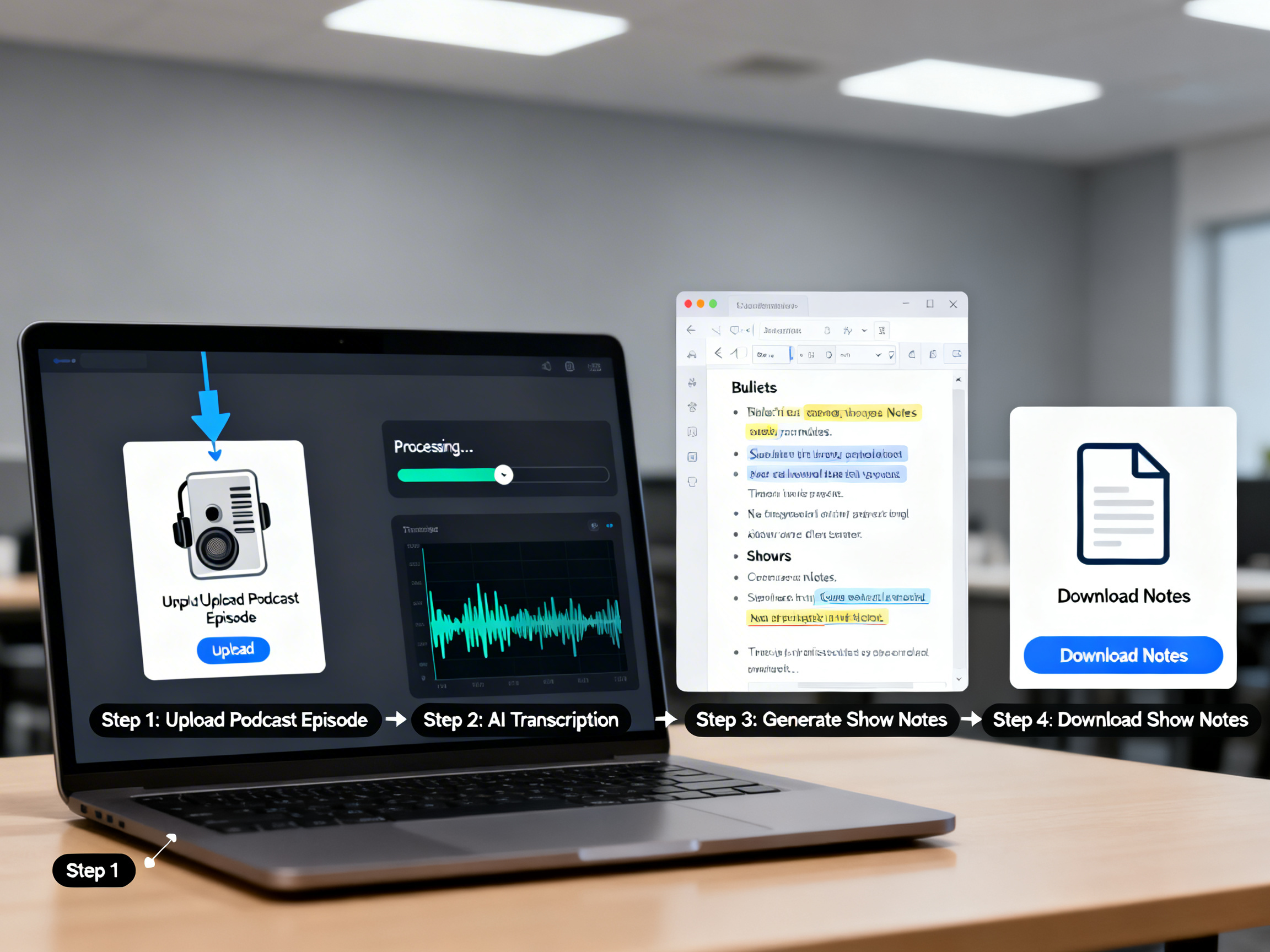 Practical demo visual for this tutorial workflow.
FAQ
How do I automatically create podcast show notes?
Use an AI transcription service like 1bit AI Transcribe to convert your episode audio to text, then apply AI summarization to extract key points, timestamps, and highlights. The platform structures this into formatted show notes following best practices. The entire process takes 5-10 minutes versus hours manually. For best results, upload clean audio, provide custom vocabulary for specialized terms, and review the output before publishing to add personal touches.
What is the best AI for podcast transcription and show notes?
The best AI balances transcription accuracy with show notes automation features. 1bit AI Transcribe offers 95-98% accuracy with custom vocabulary support and built-in summarization specifically designed for podcast workflows. It handles multiple speakers, batch processing, and multilingual content. For teams needing human-level accuracy, Rev provides 99% accuracy but requires manual summarization. Consider your volume, budget, and need for end-to-end automation when choosing.
Can AI write podcast show notes for me?
Yes, AI can generate complete podcast show notes by transcribing audio, identifying key discussion points, extracting memorable quotes, creating timestamps, and formatting content. However, human review is essential for nuance, tone, and context. The most effective workflow uses AI for the heavy lifting (transcription and initial summarization) with human editors adding personality, verifying accuracy, and ensuring brand voice consistency. This hybrid approach saves 80% of time while maintaining quality.
How to transcribe a podcast and turn it into show notes?
Upload your podcast audio to a transcription platform, get the text output, then use AI summarization to identify main topics and highlights. Structure this information with headings, bullet points, and timestamps. Add metadata like episode number, guest bios, and relevant links. Tools like 1bit AI Transcribe combine these steps in one platform, automatically generating formatted show notes ready for review and publication. The key is starting with clean audio and custom vocabulary for accurate transcription.
What tools automatically generate show notes from audio?
Leading tools include 1bit AI Transcribe (end-to-end automation with summarization), Descript (transcription with basic summarization), and Otter.ai (transcription with keyword extraction). For maximum automation, choose platforms offering both accurate transcription and intelligent summarization in one workflow. Consider integration capabilities with your podcast hosting platform, batch processing for multiple episodes, and multilingual support if needed. Most offer free trials to test accuracy with your specific content.
Conclusion
Automatically generating podcast show notes is no longer a futuristic concept but a practical reality that can save production teams countless hours while improving content quality. By leveraging AI transcription and summarization tools, you can transform raw audio into structured, SEO-friendly show notes in minutes rather than hours. The key to success lies in choosing the right tools for your specific needs, implementing consistent workflows, and maintaining human oversight for quality control. Whether you're a solo creator or managing multiple shows, the ability to automatically generate podcast show notes represents a significant competitive advantage in today's crowded podcast landscape. Start with clean audio, build your custom vocabulary, and let AI handle the repetitive aspects while you focus on creating compelling content.
Transcribe Audio And Video New users get free credits to try it.