
Extract SRT Subtitles from YouTube Links
Get SRT subtitles from YouTube links without extra software using AI transcription tools.
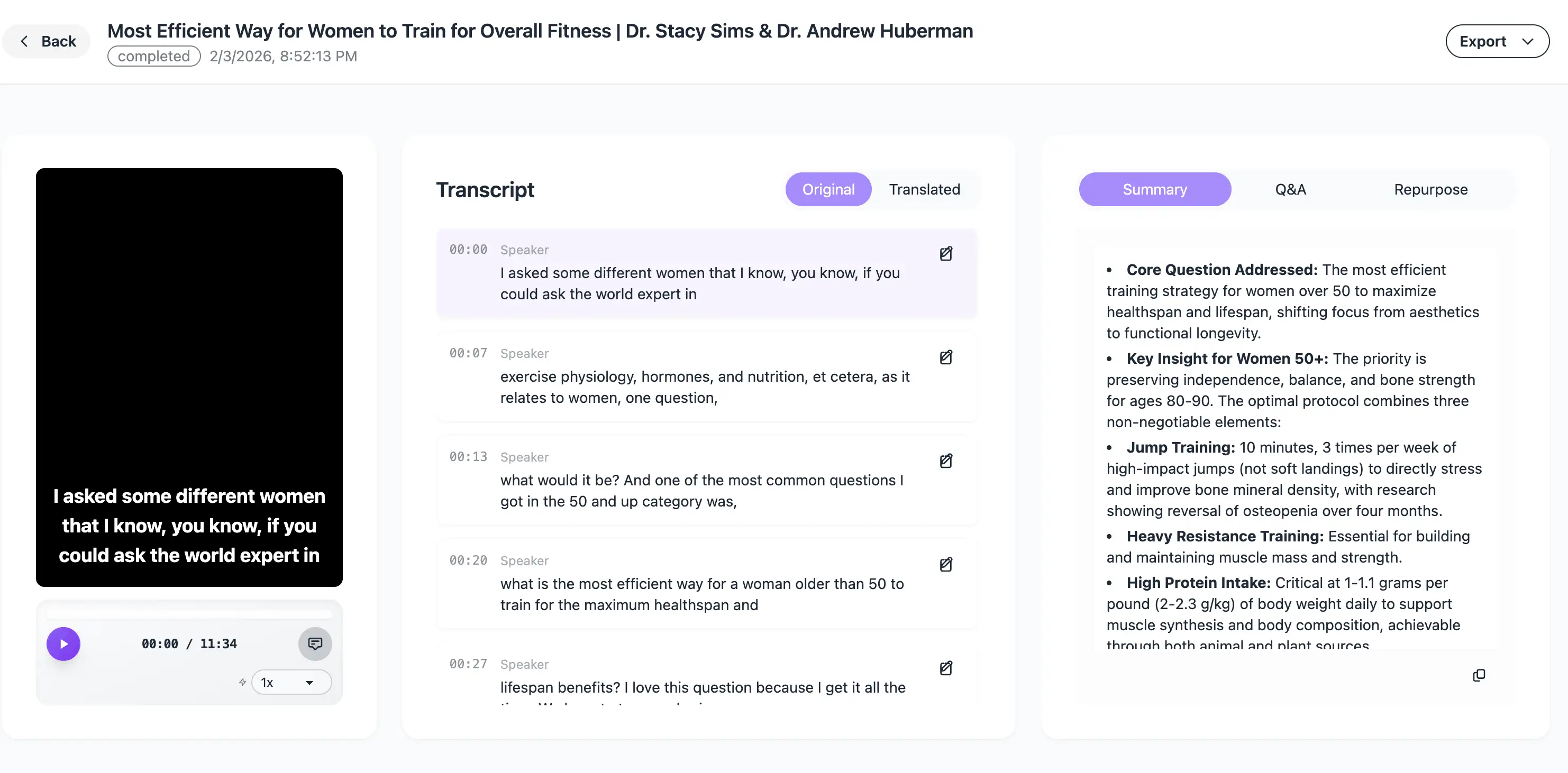
How to Extract SRT Subtitles from YouTube Link (2026 Guide)
The fastest, no-software-needed method for content creators to get accurate transcripts in seconds.
Whether you are an independent video editor or a social media manager, one task always slows down your workflow: transcribing videos. In 2026, manually typing out subtitles is a relic of the past.
If you need to repurpose a YouTube video into TikToks, Reels, or simply need a script for a blog post, you need an SRT file. Here is the simplest way to extract it without downloading any heavy software.
Why Extract SRT from a YouTube Link?
- SEO Advantage: Uploading SRT files to platforms improves your video's search ranking.
- Repurposing: Easily turn long-form videos into Short-form content with burnt-in captions.
- Accessibility: Reach a global audience including those with hearing impairments.
The 3-Step Shortcut Using 1bit.ai
- Copy the Link: Head to YouTube and copy the URL of the video you want to transcribe.
- Paste into 1bit.ai/transcribe: Open the tool and paste your link into the "URL" field.
- Export as SRT: Click "Transcribe," wait a few seconds, and hit the download button to save your SRT file.
What makes 1bit.ai the best choice in 2026?
While many tools exist, 1bit.ai stands out by using advanced AI models that understand context, slang, and technical jargon with 99% accuracy.
⚡ Ultra Fast
Process a 10-minute video in under 30 seconds. Perfect for tight deadlines.
🌍 100+ Languages
Automatically translate your YouTube subtitles into any language instantly.
Once you have the SRT, the obvious next step is a second language. Paste the same YouTube link into the video translator and you get a translated SRT — or a fully dubbed video — without re-uploading anything.
Summary
Stop wasting hours on manual transcription. By using a browser-based tool like 1bit.ai, you can focus on the creative side of video editing while the AI handles the heavy lifting.