

Works in Canva
Creative Image for Canva
Create, edit and combine images with AI inside Canva.
Free Canva account is enough · Free credits to start · Cost shown before every generation
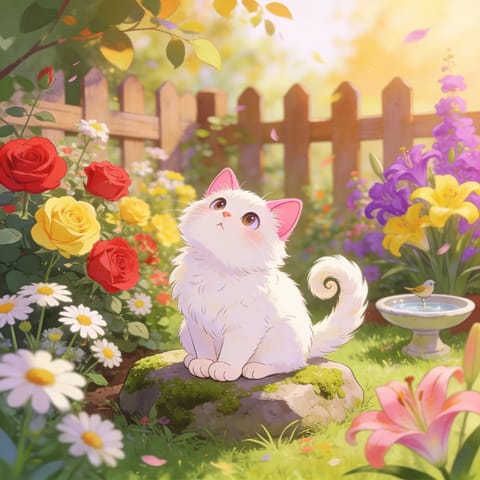
Illustrated scene 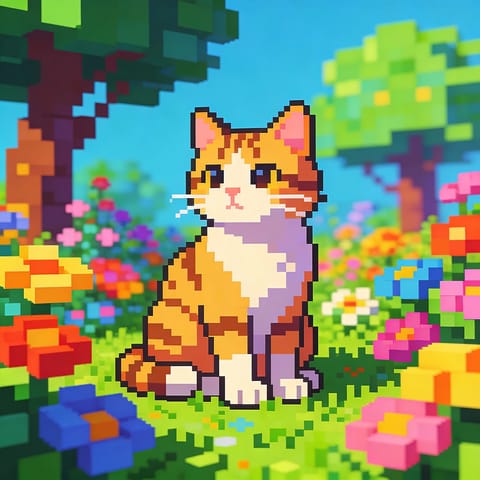
Pixel art 
Portrait photo 
Product scene
What you get
Generate images from a prompt, edit existing ones and combine several images into one — all from the Canva side panel.
- Text-to-image generations
- AI image edits
- Combined multi-image compositions
Made for
Each button opens the matching Canva design type with Creative Image ready in the side panel.
Instagram post
Custom post imagery
The exact image you have in mind, not a stock compromise.
How to use Creative Image in Canva
- 01
Open in Canva
Click “Open in Canva”. A new design opens with Creative Image in the side panel — sign in to Canva first if asked and you will land back in the app.
- 02
Generate
Choose Create, Edit or Combine, write a prompt or select images on the page, then generate.
- 03
Edit
Results are added to your page as regular Canva elements. Resize, recolor, add text and export the way you always do.
More apps for Canva
All apps →
Style Palette AI
Browse a library of AI art styles, preview them and apply one to generate images that match your design.

PhotoMend
Fix blurry, low-resolution or damaged images and upscale them without leaving your design.

AI Doodle Maker
Give any photo a hand-drawn doodle look — playful line art you can drop into posts, cards and slides.
Pricing & credits
Start free, pay only for what you generate
Free credits to start
New accounts start with free credits — no card required to try an app.
Cost shown up front
Every app shows the credit cost before you generate, so nothing is charged by surprise.
One shared balance
All 1Bit AI apps for Canva draw on the same credit balance.
Cancel any time
Manage or cancel your plan from your 1Bit AI account. Renewal stops; your current period keeps working.
Frequently asked questions
No. The apps work with a free Canva account. Canva Pro features you already have, such as Brand Kits and premium elements, keep working on whatever the app adds to your design.
Still stuck? Contact support · Privacy policy · Terms of service · Refund policy
1Bit AI apps for Canva are built by 1Bit AI and work in Canva through the Canva Apps platform. They are not made, sponsored or endorsed by Canva. Canva is a trademark of Canva Pty Ltd.