
Create Infographics from Text with AI
Turn text into clean, tech, or editorial infographics without manual design work.
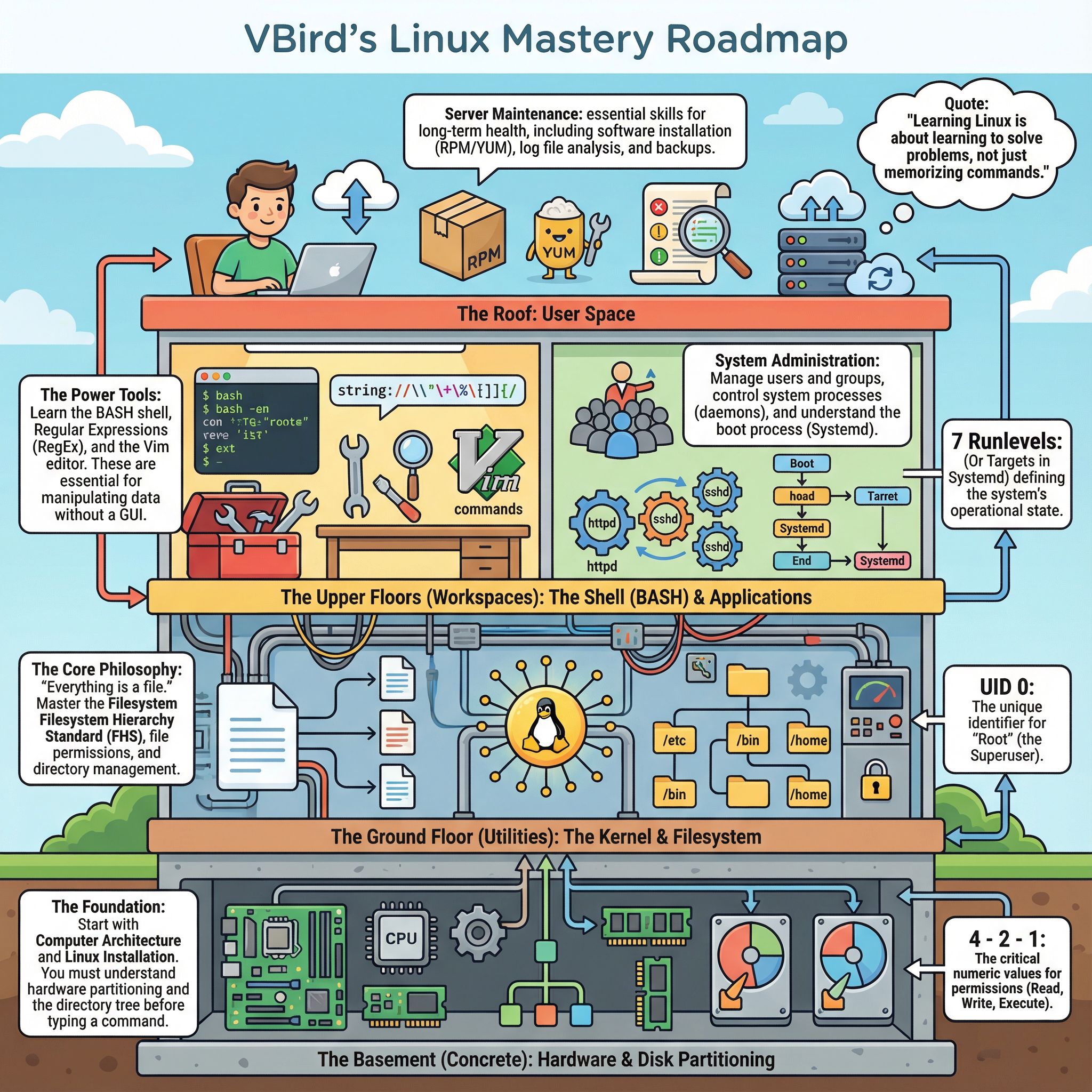
Stop Struggling with Design: Create Viral Infographics with AI in Seconds
Turn complex data into stunning visuals instantly using 1bit.ai's AI Infographic Generator.
In the fast-paced world of digital marketing, visual content is king. Studies show that people process images 60,000 times faster than text. However, for many content creators, marketers, and students, creating high-quality infographics remains a massive bottleneck.
You usually have two bad options: spend hours fighting with complicated design software, or spend hundreds of dollars hiring a freelance designer.
But what if you could type a simple topic or paste your data, and have a professional design generated instantly? Enter the 1bit.ai AI Infographic Generator.
Why You Need an AI-Powered Design Assistant
Using an automated infographic design tool isn't just about saving time; it's about scaling your content strategy. Whether you are summarizing a blog post, presenting quarterly reports, or creating educational content for social media, AI handles the heavy lifting of layout, color theory, and typography.
Here is how 1bit.ai transforms the way you communicate data:
Explore Diverse Styles for Every Niche
One size does not fit all. Our AI understands context and offers distinct visual styles tailored to your specific audience. Here are just a few examples of what you can generate in seconds:
1. The Clean Minimalist Style
Perfect for corporate reports, educational summaries, and professional presentations where clarity is paramount. This style focuses on whitespace and structured data.
 Generate clean, professional layouts automatically.
2. Dark Mode Tech
Are you in SaaS, Crypto, or Gaming? Capture the attention of tech-savvy audiences with high-contrast, neon-accented designs that pop on dark-mode feeds.
 Sleek dark mode designs for modern tech brands.
3. Modern Editorial
Ideal for lifestyle bloggers, magazines, and newsletters. This style mimics high-end publication layouts, making your content look authoritative and chic.
 Magazine-quality layouts without the InDesign headache.
4. Fun & Playful
Maximize engagement on Instagram, Pinterest, and Twitter. Use vibrant colors and dynamic layouts to tell a story that stops the scroll.
Vibrant designs to boost social media engagement.
How to Create an Infographic in 3 Simple Steps
You don't need a degree in graphic design to use 1bit.ai. We have streamlined the process to be as intuitive as possible:
- Input Your Topic: Simply type in what you want to visualize (e.g., "The History of Coffee" or "Q3 Sales Growth").
- Select Your Style: Choose from our presets like Clean Minimalist or Dark Mode Tech based on your brand identity.
- Generate & Export: Let our AI analyze the data and construct the layout. Download your high-resolution image instantly.