
AI Logo Generator Tutorial for Beginners
Create brand logo ideas with AI prompts, then refine and convert them into usable vector assets.
AI Logo Generator Tutorial for Beginners: Your Complete Guide
Creating a professional logo no longer requires expensive designers or complex software. This AI logo generator tutorial for beginners shows you exactly how to design a logo with AI, from your first text prompt to a final, scalable vector file. Whether you're launching a startup, rebranding, or creating icons for a side project, this step-by-step guide makes AI icon design accessible to everyone.
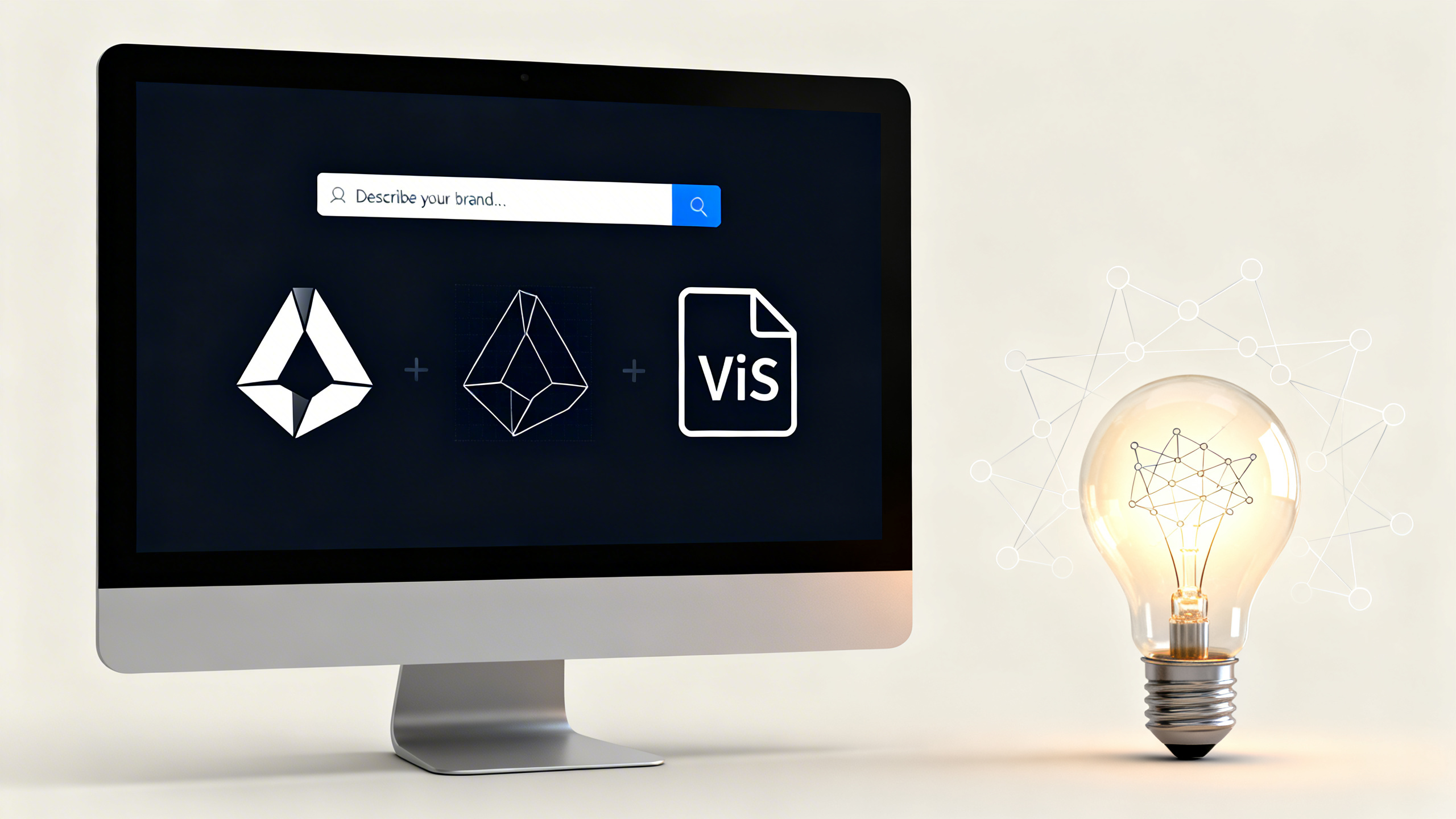
Generate AI Images New users get free credits to try it. The AI logo creation workflow: from initial concept to polished vector file
Quick Answer: Can AI Create a Professional Logo?
Yes, AI can generate professional logo concepts in minutes. The best AI tool for logo design combines ease of use with quality output and vector conversion capabilities. Follow this AI logo generator tutorial for beginners to create brand logos without design experience.
- Start with clear prompts: Describe your brand, style, and elements specifically
- Generate multiple concepts: Use AI to explore different directions quickly
- Convert to vector format: Essential for professional use across all media
- Refine and customize: Edit AI-generated logos to make them uniquely yours
Table of Contents
- What Makes a Good Logo Prompt: AI Icon Design Step by Step
- Generating Your First Logo: Make Logo with AI Free
- From AI Art to Vector Logo: Professional Conversion Guide
- FAQ: Answering Your AI Logo Questions
What Makes a Good Logo Prompt: AI Icon Design Step by Step
The foundation of successful AI logo generation is your prompt. Unlike general AI art, logos need simplicity, scalability, and brand alignment. A common mistake beginners make is being too vague. Instead of "tech logo," try "minimalist circuit board icon with blue gradient, clean lines, suitable for app icon."
Your prompt should include these elements: Style (minimalist, vintage, modern), Main Element (animal, object, abstract shape), Color Palette (specific colors or mood), and Use Case (app icon, letterhead, social media). For example: "geometric fox silhouette logo, orange and white, flat design, suitable for eco-brand packaging."
Use 1bit AI Image Generator when you want a faster workflow
1bit AI's intuitive interface lets you experiment with different prompt combinations quickly. Generate multiple logo variations in seconds, then refine the best ones. This iterative approach is perfect for exploring different brand directions without commitment.
Generate AI ImagesGenerating Your First Logo: Make Logo with AI Free
Now let's walk through the actual process of how to design a logo with AI. This practical tutorial assumes no prior design experience.
Step-by-Step: Create Brand Logo with AI Image Generator
-
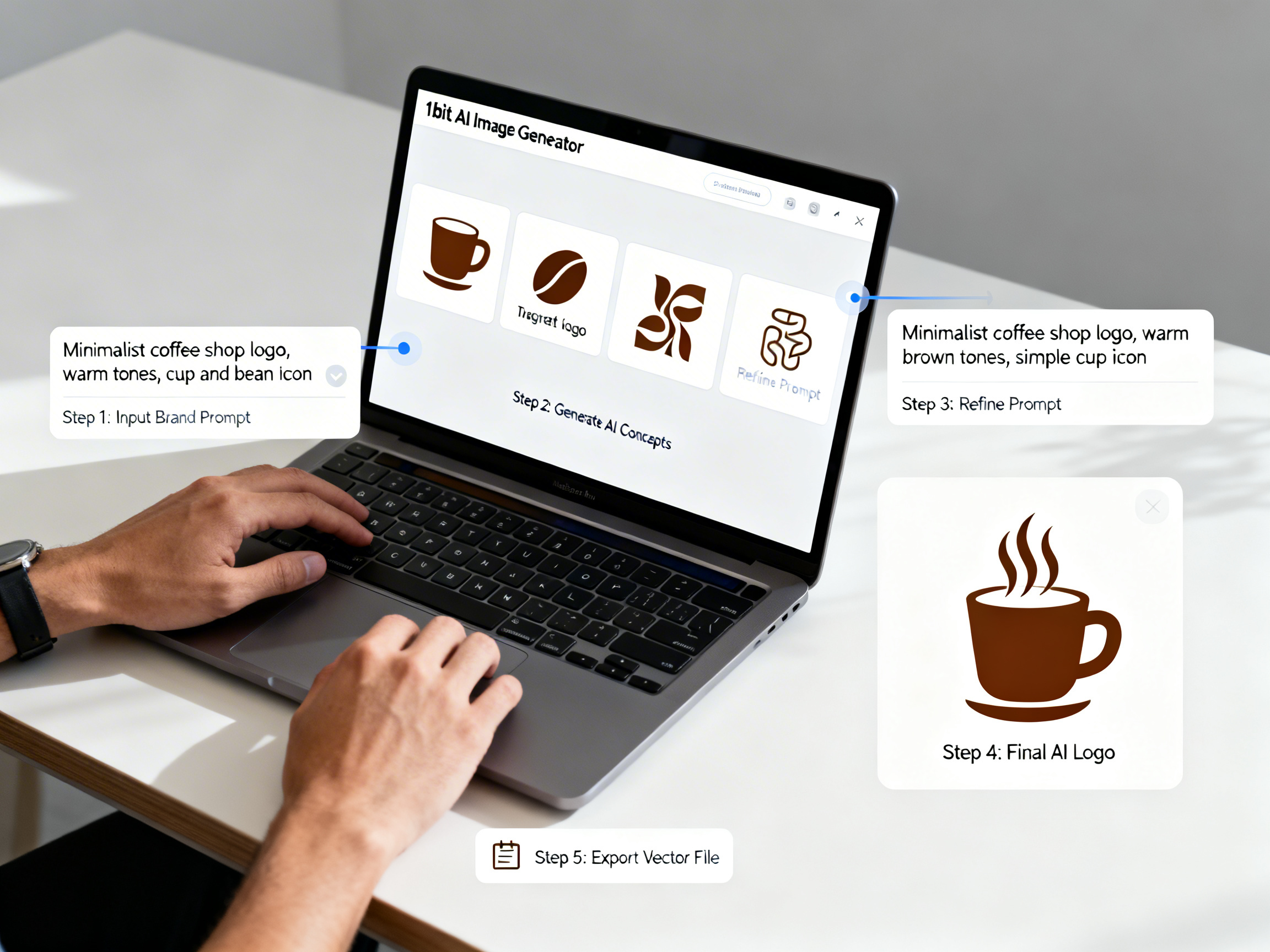
Define Your Brand Essence
Before opening any tool, write down 3-5 keywords that represent your brand. Are you playful or professional? Modern or traditional? These guide your prompt creation.
-
Craft Your Initial Prompt
Combine your keywords with logo-specific elements. Example for a coffee shop: "hand-drawn coffee bean logo with steam swirl, warm brown and cream colors, rustic style, circular composition."
-
Generate Multiple Variations
Don't settle for the first result. Create 5-10 variations by tweaking your prompt slightly. Change "hand-drawn" to "geometric" or adjust colors.
-
Select and Refine
Choose 2-3 strongest concepts. Use AI's variation feature to generate similar versions, or edit prompts to fix specific issues like "make lines thicker" or "simplify details."
 From prompt to logo: See how different prompt variations create distinct logo styles
From AI Art to Vector Logo: How to Turn AI Art into a Vector Logo
This is the most crucial step in creating a professional logo. Raster images (like PNG from AI generators) become pixelated when enlarged. Vector files (SVG, EPS) maintain perfect quality at any size. Here's how to convert your AI-generated logo properly.
First, ensure your AI-generated logo has clean, distinct shapes with good contrast. Complex, textured, or photorealistic outputs are harder to vectorize. Use an auto-trace tool in vector software like Adobe Illustrator, Inkscape (free), or online converters. Adjust settings to balance detail preservation with clean paths. Finally, manually clean up anchor points and simplify paths for professional results.
Pro Tip: Design for Vector Conversion
When creating your AI logo prompt, include terms like "flat design," "solid colors," "clean outlines," or "minimalist" to generate artwork that converts to vector more easily. Avoid prompts requesting "textured," "painterly," or "photorealistic" styles for logos.
 Practical demo visual for this tutorial workflow.
FAQ: Your AI Logo Generator Questions Answered
Can AI create a professional logo for commercial use?
Yes, but check the AI tool's licensing terms. Most commercial AI generators allow commercial use of created images. Ensure you have rights to the output, then customize it sufficiently to make it unique. Always convert to vector format for professional applications.
What is the best AI tool for logo design?
The best tool balances quality output, ease of use, and vector conversion capability. Look for AI generators that produce clean, simple designs rather than complex artwork. 1bit AI Image Generator is excellent for beginners with its straightforward interface and free credits to start.
How much does it cost to make a logo with AI?
Many AI tools offer free credits or tiers. You can make logo with AI free using initial credits, then pay only for additional generations. Compared to traditional design costs ($300-$3000), AI logo generation is significantly more affordable for startups and small businesses.
Do I need design skills to use an AI logo generator?
No specialized design skills are needed, but understanding basic logo principles helps. This AI logo generator tutorial for beginners covers everything from prompt writing to final file preparation. The AI handles the visual creation based on your descriptions.
Conclusion: Start Your AI Logo Journey Today
This AI logo generator tutorial for beginners has shown you that professional logo creation is now accessible to everyone. From crafting the perfect prompt to converting your design into a scalable vector file, you have all the knowledge needed to create brand logos with AI image generators. Remember that AI is a starting point—your creativity and brand vision make the logo truly yours.
The best way to learn is by doing. Start with simple concepts, experiment with different styles, and don't be afraid to generate multiple variations. With practice, you'll develop an intuition for what makes effective AI logo prompts and designs.
Generate AI Images New users get free credits to try it.