
Translate Text in Images with AI
Translate text inside comics, menus, manuals, and screenshots while keeping the layout readable.
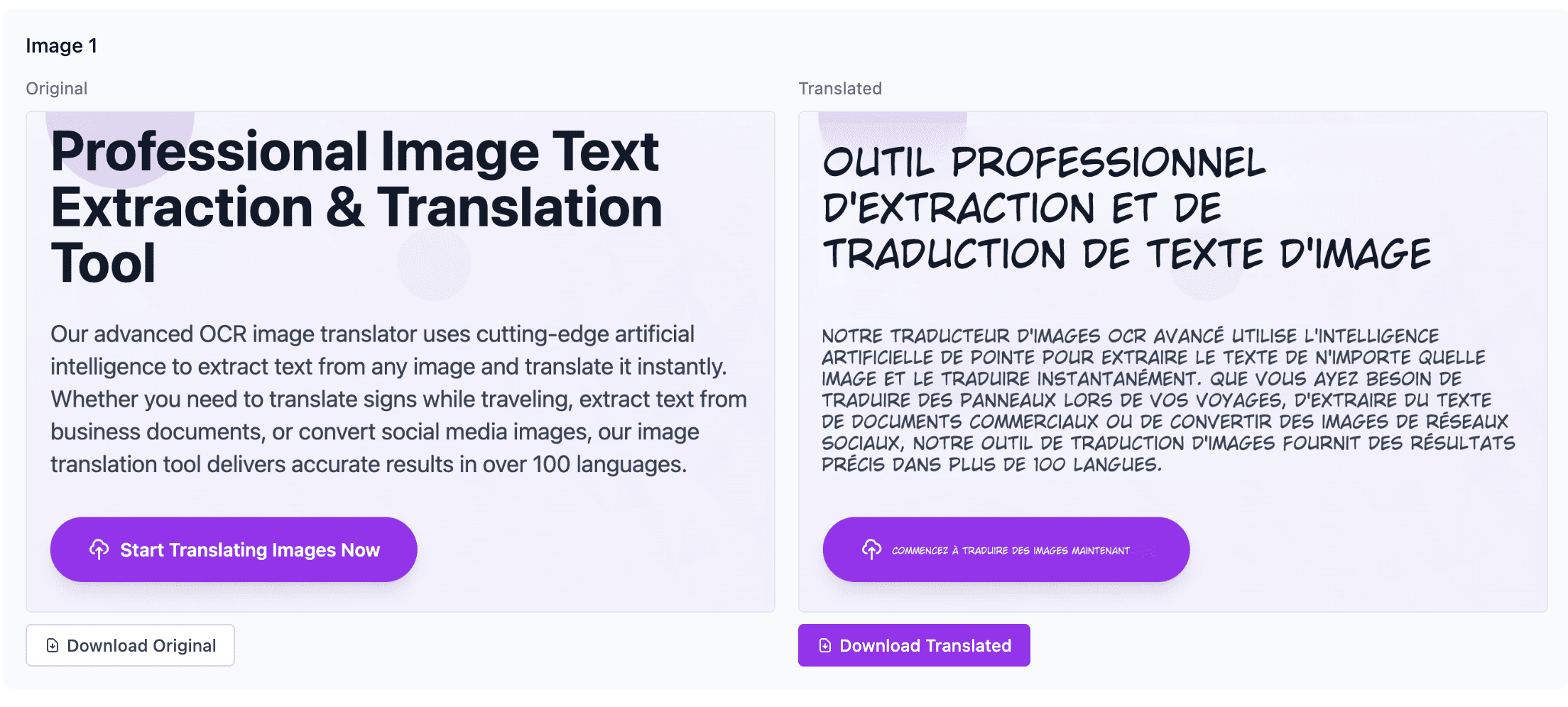
How to Translate Text in Images Instantly: The Ultimate Free AI Tool
Have you ever stumbled upon a delicious-looking menu while traveling, only to realize you can't read a single word? Or perhaps you've found a fascinating infographic or a manga chapter that hasn't been translated into your language yet?
The frustration is real. Unlike text on a website, you can't simply highlight, copy, and paste text from an image into a translation app.
Enter the era of AI Image Translation. Today, I’m going to show you how to break down language barriers visually using the 1bit AI Online Image Translator.
Why You Need an Image Translator
Traditional translation requires typing out text manually. This is impossible when you don't know the alphabet or characters (like Chinese, Japanese, or Arabic).
1bit AI Image Translator solves this by combining three powerful technologies:
- OCR (Optical Character Recognition): It detects text inside the image.
- AI Translation: It translates the text accurately with context.
- Visual In-painting: It erases the original text and paints the translation back in the exact same spot, preserving the background color and style.
How to Use 1bit AI Online Image Translator
Using this tool is incredibly simple and requires no software installation.
- Visit the Tool: Go to 1bit.ai/translation/image.
- Upload Your Image: Click to upload or drag and drop your image (screenshots, photos, scans).
- Select Languages: Choose the source language (or let it auto-detect) and your desired target language.
- Download: Within seconds, the AI generates a new image with the translated text seamlessly integrated.
Best Use Cases
- Comics & Manga: Read foreign comics instantly without waiting for scanlations.
- Travel: Snap photos of signs, menus, or museum guides.
- E-Commerce: Translate product manuals or size charts from foreign shopping sites.
- Learning: Compare the original text with the translation to study a new language.
Conclusion
Don't let language barriers limit your access to information or entertainment. Experience the magic of instant visual translation today.