
Create 3D Blind Box Art from Photos
Turn photos into blind box-style 3D collectible figures with AI prompts and style guidance.
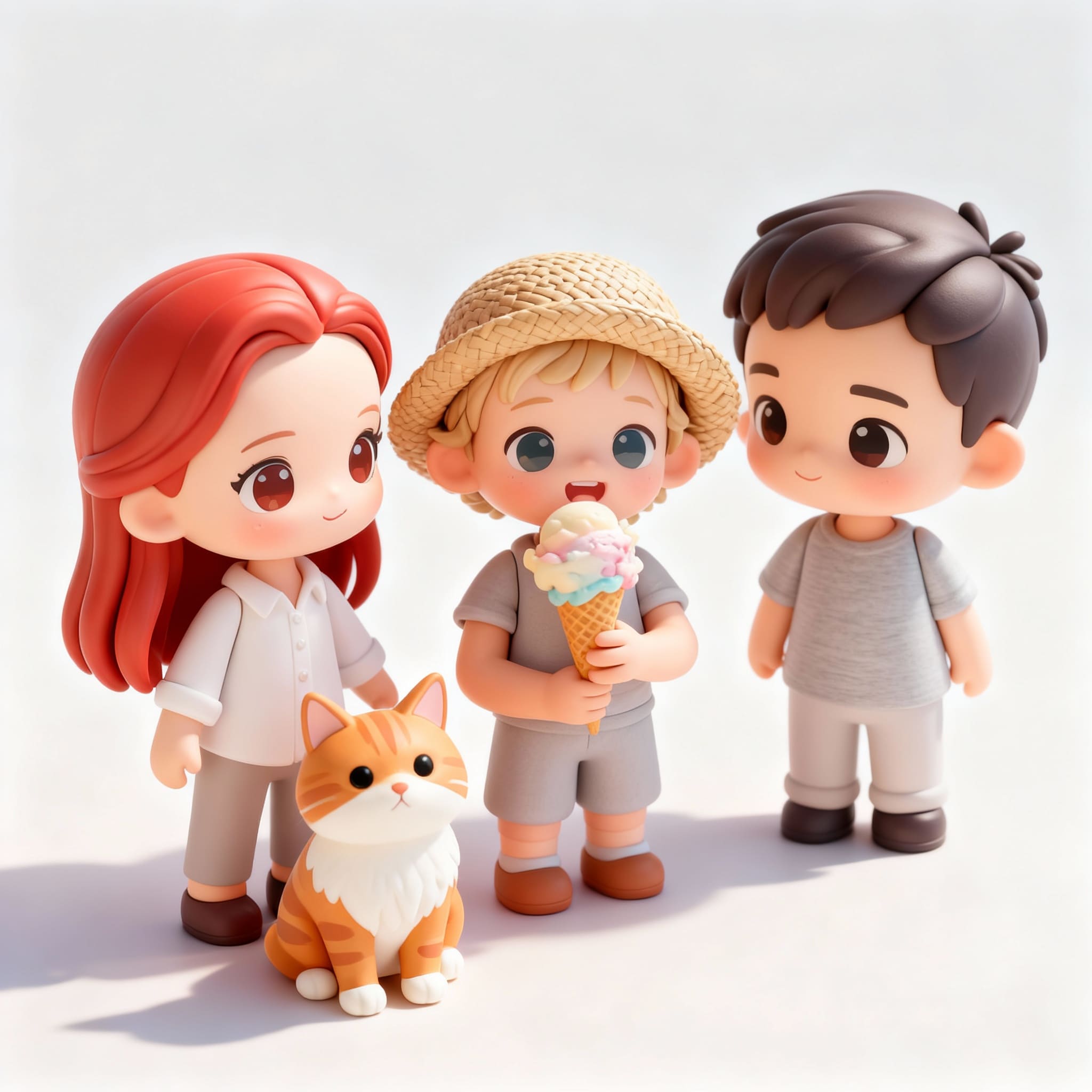
How to Create Stunning 3D Blind Box Art from Your Photos Using AI
Ever wanted to turn yourself, a friend, or a pet into a collectible blind box-style figure? This guide shows you exactly how to create 3D blind box art from a photo using AI. Whether you're an illustrator, anime fan, or social creator, you can transform any image into stylized toy figure art in minutes. Tools like the 1bit AI Cartoon Generator make this process accessible without needing 3D modeling skills.
Make Cartoon Art New users get free credits to try it.
Quick answer
Yes, you can create 3D blind box art from a photo using an AI 3D blind box generator. The process involves choosing a clear photo, selecting a 'blind box' or 'toy figure' style in an AI tool, and generating your collectible art. The best results come from well-lit portraits and specific style prompts.
- Use a high-quality, well-lit portrait photo for the best input.
- Select AI styles like "3D render," "vinyl toy," or "blind box figure."
- Refine your results with detailed prompts about expression, pose, and accessories.
Table of contents
- What is 3D Blind Box Art & Why Use AI?
- Step-by-Step: How to Create 3D Blind Box Art from a Photo
- Pro Tips for Perfect blind box Style AI Art
- FAQ
What is 3D Blind Box Art & Why Use AI to Create It?
3D blind box art refers to the stylized collectible figures, popularized by brands like blind box, sold in sealed packages. The 'blind' element adds surprise, but the art style is distinct: chibi proportions, smooth 3D rendering, vibrant colors, and cute, exaggerated features. Traditionally, designing these requires skilled 3D artists.
AI changes the game. An ai 3d blind box generator can interpret a 2D photo and reimagine it in this specific aesthetic. This lets anyone make collectible art ai-powered, perfect for personal avatars, merchandise ideas, or unique social content. It's a fast track from concept to visual.
Use 1bit AI Cartoon Generator when you want a faster workflow
Instead of manually modeling in 3D software, you can upload a photo to 1bit AI Cartoon Generator and select styles like '3D Character' or use prompts for 'blind box style.' It handles the complex rendering, letting you focus on creative direction. New users get free credits to experiment.
Make Cartoon ArtStep-by-Step: How to Create 3D Blind Box Art from a Photo
Follow this tutorial to turn your photo into toy figure art. The key is preparation and understanding the AI's language.
Step Action Pro Tip 1. Photo Prep Choose a clear, front-facing portrait with good lighting. Avoid busy backgrounds. Face should be well-defined. 2. Choose Your Tool Select an AI generator with 3D or cartoon styles. Look for '3D render' or 'vinyl toy' style filters. 3. Craft Your Prompt Combine style and subject: "blind box style 3D blind box figure of [subject], cute, chibi, smooth render." Add details like "wearing a hat" or "smiling" for personality. 4. Generate & Refine Run the AI, then iterate using variations or adjusted prompts. Save multiple outputs to choose the best one.This process demystifies how to make 3d blind box art?. With AI, you're guiding the style rather than drawing from scratch. The table above compares a manual approach to the streamlined AI method.
Pro Tips for Perfect blind box Style AI Art
To master blind box style ai art, go beyond basic prompts. Think like a toy designer. Can AI create blind box style art? Absolutely, but you need to direct it. Use descriptive keywords: 'matte finish', 'collectible statue', 'simplified facial features', 'oversized head', 'pastel color palette'. These terms steer the AI toward the authentic blind box aesthetic.
For toy figure art from photo, consider the final use. If it's for a profile picture, ensure the face is recognizable. For a product concept, think about 'poseability' or 'accessories' in your prompt. Common questions like how to turn photo into toy figure art? are solved by this iterative, detail-oriented prompting strategy.
FAQ
Can AI create blind box style art?
Yes. Modern AI image generators are trained on millions of images, including toy and collectible art. By using precise prompts like "blind box style, 3D blind box figure, cute chibi," you can direct the AI to produce convincing art in that aesthetic.
What kind of photo works best?
A clear, high-contrast, front-facing portrait with even lighting works best. The AI needs to discern facial features and contours. Photos with simple backgrounds and the subject facing the camera yield the most recognizable and stylized results.
Is the AI-generated art ready for commercial use?
This depends on the AI tool's terms of service. Many platforms allow commercial use of generated images. Always check the specific license of the generator you use, especially for selling merchandise featuring the created art.
Conclusion
Creating 3D blind box art from a photo is no longer confined to professional studios. With AI, you can transform any portrait into blind box-style collectible art in minutes. The process hinges on selecting the right tool, using descriptive style prompts, and iterating on the results. Whether for fun, social media, or product brainstorming, this technology opens new creative doors.
Make Cartoon Art New users get free credits to try it.