
How to Remove Mosaic from Photos
Compare manual editing and AI tools for removing mosaic effects while preserving image quality.
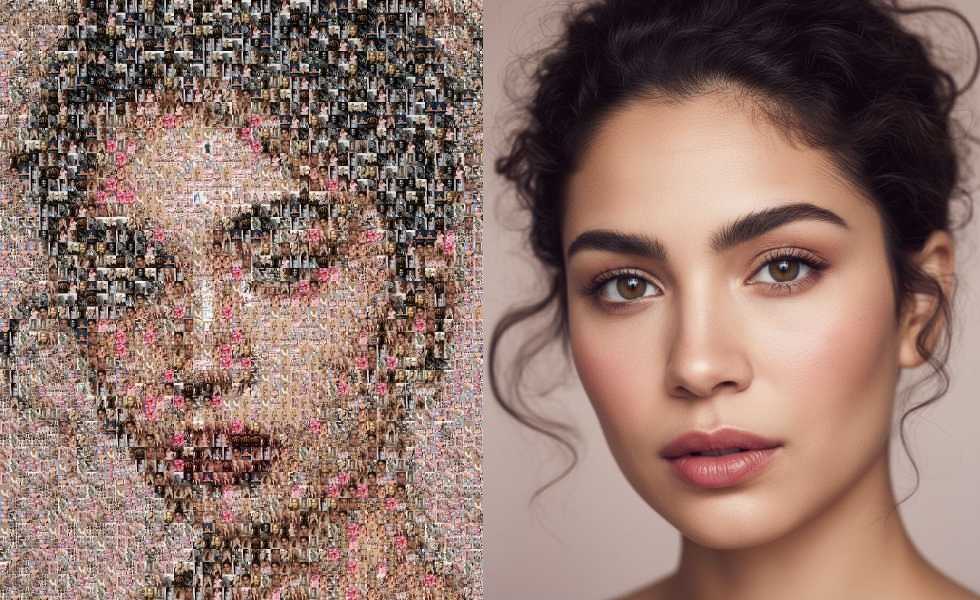
How to Remove Mosaic from Photo: Complete Step-by-Step Guide
Mosaic patterns and pixelation can ruin otherwise perfect photos, whether they're from old archives, censored content, or low-resolution screenshots. This comprehensive guide walks you through proven methods to remove mosaic from photos while preserving quality. We'll cover traditional techniques and modern AI solutions like 1bit AI Mosaic Remover that deliver professional results without technical expertise.
Restore Images New users get free credits to try it.
Quick answer
To remove mosaic from a photo without quality loss, use AI-powered tools like 1bit AI Mosaic Remover that intelligently reconstruct missing details. Traditional methods like cloning or blurring often degrade quality, while AI analyzes patterns to restore the original image content beneath the mosaic.
- AI mosaic removal reconstructs details using pattern recognition
- Manual editing requires advanced skills and often produces artifacts
- Quality preservation depends on the original image resolution and mosaic density
Table of contents
- Understanding Mosaic and Why It's Challenging to Remove
- Step-by-Step Mosaic Removal Methods Compared
- How AI Mosaic Removers Work Without Ruining Photos
- FAQ
Understanding Mosaic and Why It's Challenging to Remove
Mosaic patterns are created by dividing an image into blocks and averaging the pixel colors within each block. This process destroys fine details and textures, making it one of the most challenging photo issues to fix. Unlike simple blurring, mosaic completely replaces original pixel data with uniform blocks.
The difficulty in removing mosaic from photos stems from the irreversible data loss. Traditional photo editing tools can only guess what was originally there, often resulting in smeared or artificial-looking results. This is where understanding the limitations of conventional methods becomes crucial before attempting restoration.
Use 1bit AI Mosaic Remover when you want a faster workflow
If you're working with multiple images or need consistent professional results, AI tools dramatically reduce processing time. Instead of spending hours manually reconstructing details, you can upload images and get clean results in minutes. New users get free credits to try 1bit AI Mosaic Remover and experience the difference.
Restore ImagesStep-by-Step Mosaic Removal Methods Compared
Different approaches to mosaic removal yield varying results. Here's a comparison of the most common methods, from manual techniques to AI-powered solutions. Understanding these options helps you choose the right approach for your specific needs and quality requirements.
Method Skill Required Time Investment Quality Results Manual Clone/Healing Tools Advanced 30-60+ minutes Often shows artifacts Blur/Smudge Techniques Intermediate 15-30 minutes Loss of detail AI Mosaic Remover Beginner 2-5 minutes Natural reconstructionFor manual removal without quality loss, you would typically: 1) Duplicate the layer, 2) Use content-aware fill on mosaic areas, 3) Apply careful cloning from similar regions, 4) Blend edges with layer masks. This process requires significant skill and often still produces noticeable artifacts in complex areas.
How AI Mosaic Removers Work Without Ruining Photos
Modern AI solutions like 1bit AI Mosaic Remover use deep learning models trained on millions of image pairs to intelligently reconstruct what's beneath mosaic patterns. The AI analyzes surrounding pixels, recognizes patterns and textures, and generates plausible details that match the original image context.
Many users ask: "Can AI remove mosaic without ruining photo quality?" The answer lies in the training data and algorithms. Advanced AI doesn't just blur or smudge—it actually reconstructs based on learned visual patterns. For the best way to remove mosaic patterns, AI tools consistently outperform manual methods in both speed and quality preservation.
FAQ
How to get rid of mosaic effect completely?
Complete mosaic removal depends on the original image quality and mosaic density. AI tools provide the most thorough removal by reconstructing details rather than just covering them. For heavy mosaics, multiple processing passes may be needed for optimal results.
What's the best way to remove mosaic pattern from old photos?
For old photos, AI mosaic removers that include general photo restoration capabilities work best. They can simultaneously address mosaic patterns while fixing other age-related issues like scratches, noise, and color fading for comprehensive restoration.
Can AI really remove mosaic without ruining photo quality?
Yes, advanced AI models are specifically trained to reconstruct plausible details rather than simply blurring. They analyze surrounding textures and patterns to generate content that matches the original image context, preserving overall quality while removing mosaic artifacts.
Conclusion
Learning how to remove mosaic from photo effectively requires understanding both traditional techniques and modern AI solutions. While manual methods work for simple cases, AI-powered tools like 1bit AI Mosaic Remover deliver superior results for complex mosaics without the steep learning curve. The key to quality preservation lies in intelligent reconstruction rather than simple covering or blurring.
Restore Images New users get free credits to try it.