1
Paste the URL
Choose transcript, captions, or summaries based on where you plan to publish.
Paste a YouTube URL → get a full transcript, AI chapter summary, and downloadable SRT, VTT, PDF, DOCX, or CSV (with or without timestamps). Repurpose your best videos into articles, newsletters, and social posts in minutes.
YouTube creators face a constant challenge: their valuable video content is trapped in an unsearchable format. Repurposing a 20-minute video into blog posts, social threads, or newsletters requires hours of manual transcription. 1bit.ai solves this by letting you paste any YouTube URL and receive a polished transcript in seconds. Our AI doesn't just capture words—it understands context, adds punctuation, and can even generate summaries that highlight key takeaways for your audience.
Our YouTube transcription engine extracts audio directly from YouTube's servers, supporting standard videos, Shorts, live stream replays, and unlisted content. We provide frame-accurate timestamps that sync perfectly with your video timeline, making it easy to create jump links or chapter markers.
Content Repurposing: Transform one YouTube video into 10+ pieces of content—blog posts, Twitter threads, LinkedIn articles, email newsletters, and Instagram captions.
SEO Optimization: Use the full transcript to identify keywords, write better video descriptions, and improve your video's discoverability in search results.
Accessibility Compliance: Generate professional SRT/VTT subtitle files to make your content accessible to deaf and hard-of-hearing viewers.
Research & Analysis: Quickly search through hours of video content by converting everything to searchable text documents.
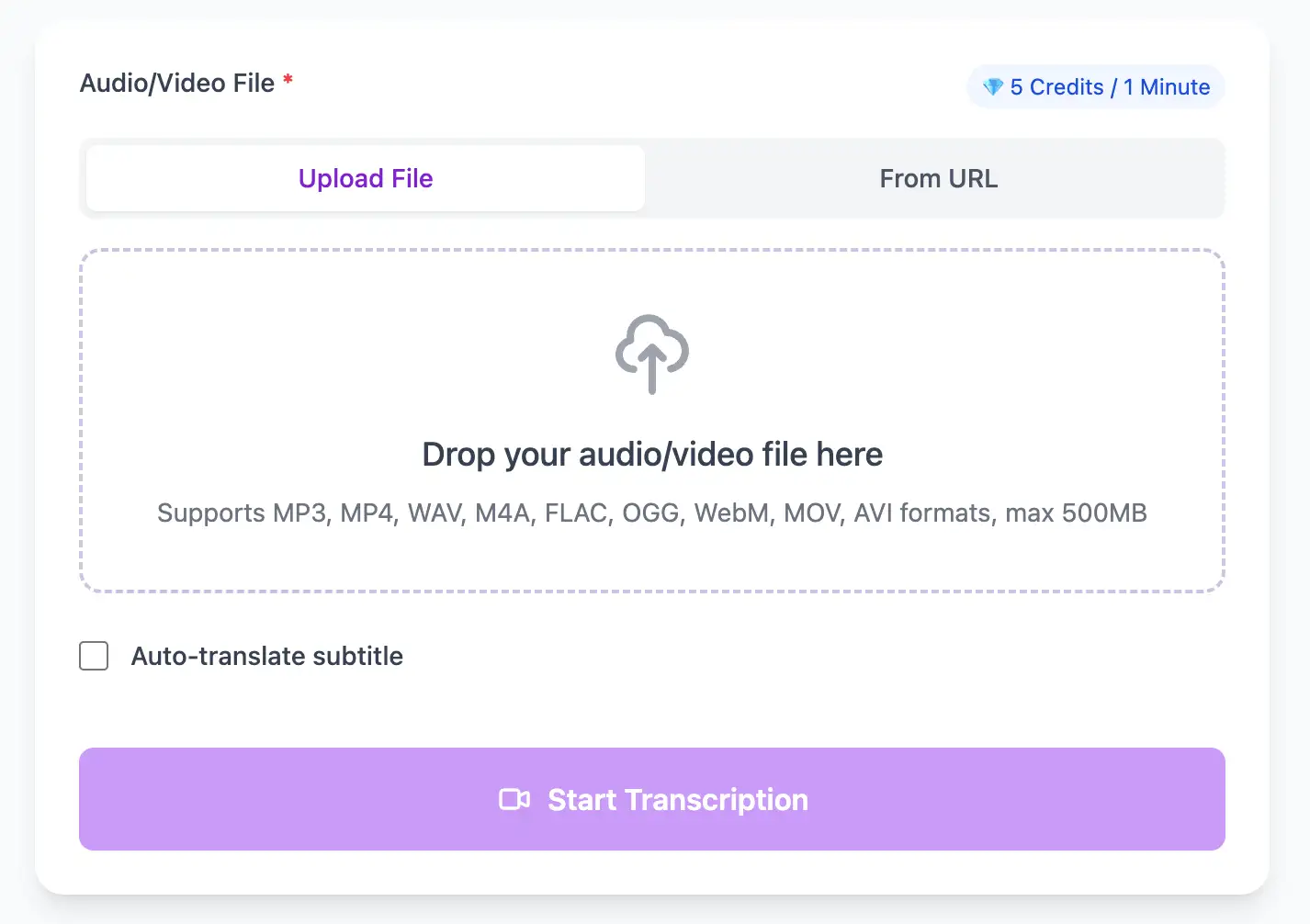
Extract perfect transcripts from YouTube Video video files. Generate frame-accurate subtitles in SRT/VTT format, ready for video editing software and social media platforms.
Export YouTube Video video transcripts as professional SRT, VTT subtitle files, or as TXT, PDF, DOCX, CSV (with or without timestamps).
Explore converters for formats similar to YouTube Video
Turn a single upload into captions, chapters, and repurposed assets.
Choose transcript, captions, or summaries based on where you plan to publish.
Use timestamps to create chapter markers or clip-ready highlights.
Export SRT/VTT for YouTube, and TXT, PDF, DOCX, or CSV (with or without timestamps) for blog posts or newsletters.
How teams expand reach with YouTube transcripts.
“The transcript powers our blog, newsletter, and shorts without extra editing.”
Amelia Grant
Content Lead
“We finally have accurate captions that match our tone and pacing.”
Rafael Torres
Video Creator
Tie YouTube workflows to file-based formats.
Expert techniques for generating YouTube Video video subtitles and transcripts with perfect timing
Clear audio is the foundation of accurate transcription. Use a quality microphone positioned 4-6 inches from the speaker, record in a quiet environment, and keep volume levels consistent throughout.
When uploading files, include relevant metadata like speaker names, topic, or industry. This context helps our AI better understand technical terminology and specialized vocabulary specific to your field.
While our AI achieves up to 99% accuracy, always review transcripts for critical applications. Use the time-synced playback feature to quickly verify unclear sections by listening to the original audio.
Choose your export format based on end use: SRT/VTT for video subtitles, plain text for documentation, Word/PDF/DOCX for professional reports (with or without timestamps), or CSV for spreadsheets. Using the right format saves time in downstream workflows.
Transform YouTube Video files into searchable text, subtitles, and actionable insights for your specific workflow
Generate VTT or SRT subtitles for YouTube videos, TikTok, Instagram Reels and Facebook videos.
Turn lecture recordings, classes or webinars into searchable notes or bilingual subtitles.
Create multi-language captions for YouTube Video ads and demos—clean exports, no watermark.
Convert MP3, WAV, M4A, and OGG into readable text or timestamped subtitles for blogs or show notes.
Upload your YouTube Video video or paste a link, then download SRT/VTT subtitles or plain text transcripts
Upload audio and video files from your local device or simply paste a YouTube link
Click 'Transcribe' and wait for transcribing. It usually takes less than a minute to transcribe a 1-hour file
Export transcribed text as TXT, SRT, VTT, PDF, DOCX, or CSV—with or without timestamps.
Professional YouTube Video video transcription with subtitle generation, translation, and export options
Extract audio from any publicly accessible YouTube URL including playlists (individual videos), Shorts, premieres, and member-only content (if you have access).
Download the same transcript as WebVTT (.vtt), SubRip (.srt), plain text (.txt), PDF, DOCX, or CSV—with or without timestamps. One click, no re-processing.
Transcribe once, then auto-translate the subtitle to 100+ languages—perfect for global audiences.
Create a free account and receive instant credits to test full transcription + translation—no payment info required.
Frame-perfect time codes let you upload subtitles straight to YouTube, VLC, Premiere Pro, TikTok.
All exported subtitle files are clean—no branding, no credit line, 100 % usable in professional workflows.
Get answers to common questions about YouTube Video transcription and speech to text conversion
Yes, through our API or bulk processing feature. You can submit multiple YouTube URLs and we'll process them sequentially, returning organized transcripts for each video in your playlist.
In YouTube Studio, go to Subtitles → Upload File → select "With Timing" and upload our SRT or VTT file. YouTube will sync it automatically. For video descriptions, copy the plain text transcript.
Yes, transcribing your own monetized content is perfectly fine. We extract audio through legitimate YouTube API methods that don't violate terms of service or affect monetization status.
Absolutely. Accurate transcripts in your video description provide Google with searchable text content, improving discoverability. Many creators report significant increases in organic views after adding comprehensive transcripts to descriptions.
Save YouTube videos or convert to MP4. Login once, use for free—no ads.
No credit card · 100+ languages · Results in minutes
Complete 7 consecutive days to collect higher rewards. Missing a day resets the streak.
Day 1
Today
Day 2
Upcoming
Day 3
Upcoming
Day 4
Upcoming
Day 5
Upcoming
Day 6
Upcoming
Day 7
Upcoming