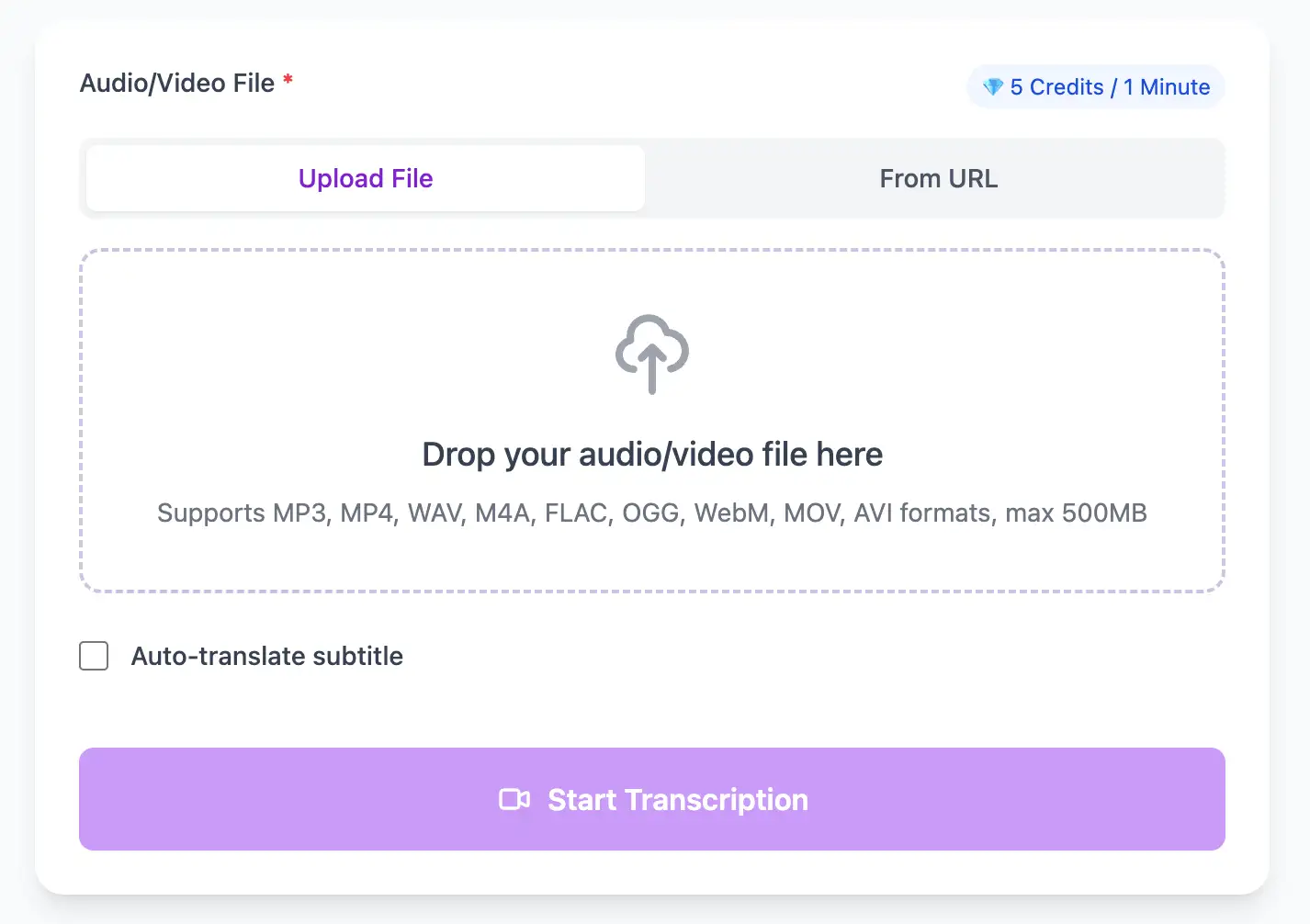
Prepare multi-speaker audio for diarization
Upload the edited mix or a balanced multitrack bounce. After transcription, rename speakers once to keep host/guest labels consistent across the episode.
Upload your MP3 or paste an episode URL. Get a speaker-labeled transcript, AI-generated show notes, and timestamps for chapters — all for free.
Podcasting has exploded, but discoverability remains a challenge—search engines can't index audio. Every untranscribed episode is invisible to Google and potential new listeners. 1bit.ai transforms your podcast workflow by converting episodes into SEO-friendly transcripts that drive organic traffic. Our AI automatically identifies different speakers, adds proper punctuation, and can generate concise show notes that save hours of post-production work.
Our podcast transcription engine is optimized for long-form conversational audio. We support all major podcast formats including MP3, M4A, WAV, and direct RSS feed URLs. Speaker diarization automatically labels who said what, even in multi-host shows with guests.
Show Notes & Summaries: Automatically generate episode summaries, key takeaways, and timestamped highlights for your podcast description.
Blog Content: Repurpose each episode into a full blog post that ranks in search engines and attracts new listeners.
Searchable Archives: Build a searchable database of all your episodes so listeners can find exactly the content they're looking for.
Accessibility: Make your podcast accessible to deaf and hard-of-hearing audiences with accurate transcripts.
With AI technology, you can quickly turn your audio and video files into text in just a few minutes. It supports 98 languages and a range of formats including MP3, MP4, WAV, M4A, and more.
Export Podcast audio transcripts as TXT, SRT, and VTT.
Explore converters for formats similar to Podcast
Handle multi-host conversations cleanly and export publish-ready notes without extra editing.
Upload the edited mix or a balanced multitrack bounce. After transcription, rename speakers once to keep host/guest labels consistent across the episode.
Trim long silences and crosstalk before upload so timestamps match the published audio and show-note chapters stay accurate.
Use the transcript to pull key topics, quotes, and timestamps, then export as TXT or DOCX for instant show notes and blog drafts.
How creators turn transcripts into growth and listener retention.
“Speaker labels saved us hours on every episode. We publish show notes the same day now.”
Maya Chen
Host, Product Stories
“The timestamps make chaptering effortless, and our blog traffic jumped after adding transcripts.”
Luis Martinez
Co-host, FinTech Weekly
Keep your podcast production loop connected across formats.
Pro tips for converting Podcast audio to text with maximum accuracy and efficiency
Use separate microphones and tracks for each host and guest. Mix them to stereo or mono for distribution, but keep the multitrack session for transcription to enable perfect speaker separation.
Use the same EQ, compression, and noise reduction settings across all episodes. Consistency in audio processing helps AI models recognize your voices and maintain accuracy across your entire podcast archive.
Remove long silences, false starts, and "um/uh" if you typically clean your audio. Transcribing the edited version matches your published episode and produces cleaner show notes.
Develop a standard intro/outro for your podcast that you can template in transcripts. This saves editing time and ensures consistent formatting across all episode show notes and blog posts.
Transform Podcast files into searchable text, subtitles, and actionable insights for your specific workflow
Generate VTT or SRT subtitles for YouTube videos, TikTok, Instagram Reels and Facebook videos.
Record lectures in Podcast format and convert to searchable study notes with auto-translation.
Create multi-language captions for ads, product demos and client deliverables—no watermark.
Convert MP3, WAV, M4A, and OGG into readable text or timestamped subtitles for blogs or show notes.
Upload your Podcast audio file, enable speaker detection, then export timestamped transcripts
Upload audio and video files from your local device or simply paste a YouTube link
Click 'Transcribe' and wait for transcribing. It usually takes less than a minute to transcribe a 1-hour file
Export transcribed text as TXT, SRT, and VTT.
AI-powered Podcast to text conversion with speaker detection, timestamps, and multi-language support
Paste individual episode URLs from Spotify, Apple Podcasts, or any RSS feed. Also supports direct MP3/M4A file uploads from podcast hosting platforms.
Download the same transcript as WebVTT (.vtt), SubRip (.srt) or plain text (.txt)—one click, no re-processing.
Transcribe once, then auto-translate the subtitle to 100+ languages—perfect for global audiences.
Create a free account and receive instant credits to test full transcription + translation—no payment info required.
Automatically detect topic changes and natural breaks to generate timestamped chapter markers for enhanced listener navigation and SEO.
All exported subtitle files are clean—no branding, no credit line, 100 % usable in professional workflows.
Get answers to common questions about Podcast transcription and speech to text conversion
Our diarization identifies and labels multiple speakers, typically 2-6 hosts/guests. For best results, avoid crosstalk and keep mic levels consistent across speakers.
Yes, you can export the transcript as TXT or DOCX and use the built-in timestamps to create chaptered show notes in minutes.
Yes, paste any public episode URL (Apple Podcasts, Spotify, RSS, or hosting platform) and we'll extract and transcribe the audio automatically.
Search engines cannot index audio. Publishing full transcripts or summaries helps episodes rank for keywords and drives organic traffic.
No credit card · 100+ languages · Results in minutes
Please sign in with Google Please enter your details to sign up. Enter the code we just sent to to verify your account. Complete your registration with your name and password. Enter your email to receive a reset code. Enter the code we just sent to to reset your password. Create a new password for your account.
Already have an account?