1
Normalize and trim the MP3
Remove long silences and normalize volume before upload so speaker changes are clearer and timestamps line up.
Upload any MP3 file and get a clean, timestamped transcript with speaker labels. Export as TXT, SRT, VTT, PDF, DOCX, or CSV (with or without timestamps). Free credits included — no software to install.
MP3 is the global standard for compressed audio, but transcribing hours of recordings manually is an exhausting bottleneck. Whether you are dealing with a low-bitrate podcast or a high-quality field recording, the challenge remains the same: capturing every word without errors. 1bit.ai solves this by utilizing the latest Whisper-based AI models to decode MP3 bitstreams directly. Our engine doesn't just 'listen'—it understands context, filtering out background hiss and leveling inconsistent volumes to ensure that your transcripts are clean, readable, and ready for publication.
1bit.ai's proprietary MP3 processing pipeline supports all standard bitrates (32kbps to 320kbps). Unlike basic tools, we include advanced acoustic modeling that compensates for MP3 compression artifacts. Our technology also provides frame-accurate timestamps, allowing you to jump to the exact second in your audio file just by clicking the text.
Podcasters: Transform audio episodes into SEO-friendly blog posts and searchable show notes instantly.
Journalists: Speed up your workflow by converting hours of MP3 interviews into editable text with speaker labels.
Market Researchers: Analyze focus group recordings by turning audio into structured data for sentiment analysis.
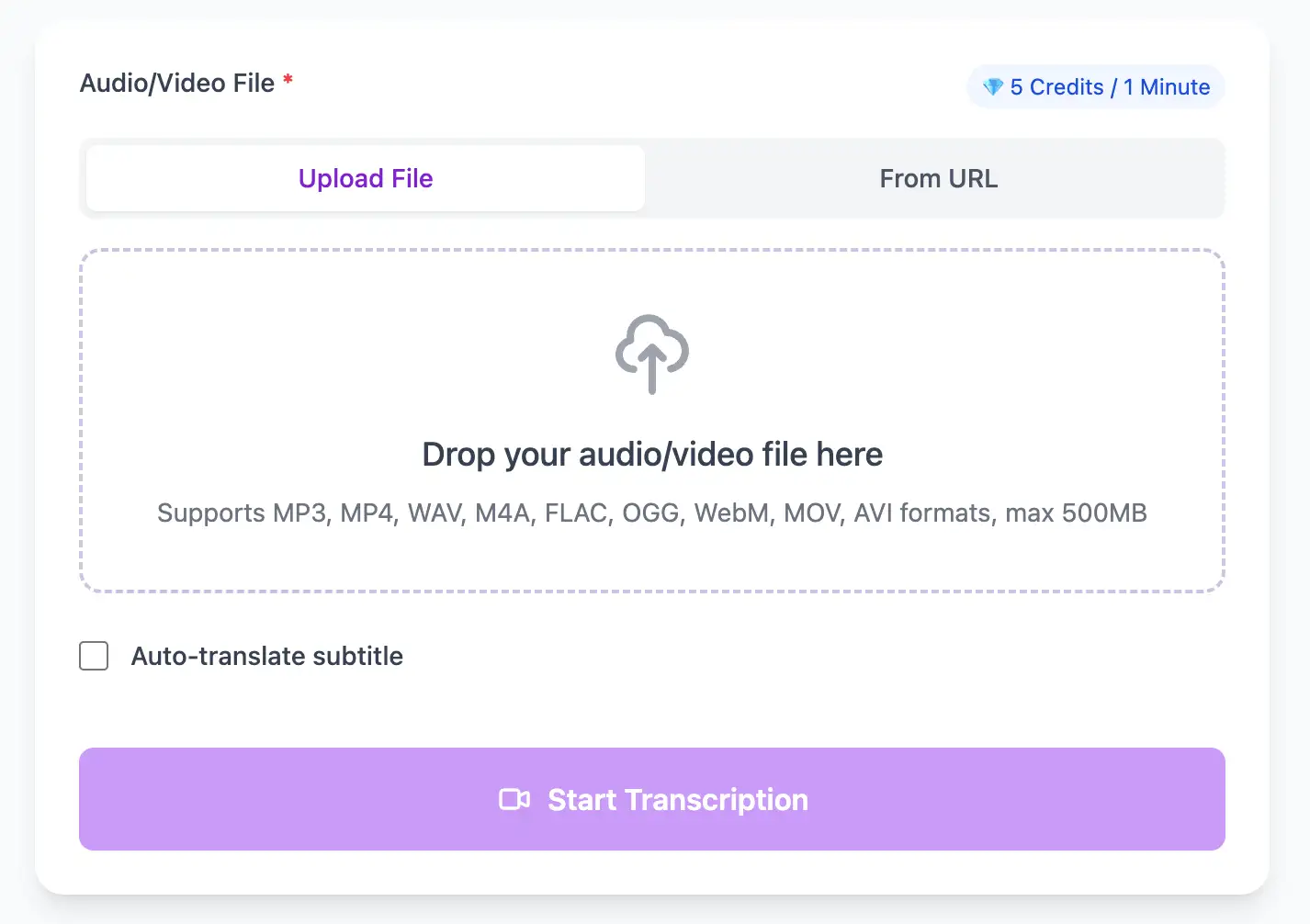
With AI technology, you can quickly turn your audio and video files into text in just a few minutes. It supports 98 languages and a range of formats including MP3, MP4, WAV, M4A, and more.
Export MP3 audio transcripts as TXT, SRT, VTT, PDF, DOCX, or CSV (with or without timestamps).
Explore converters for formats similar to MP3
Reduce compression artifacts, keep speaker labels clean, and export ready-to-share files.
Remove long silences and normalize volume before upload so speaker changes are clearer and timestamps line up.
Rename speakers after the first pass so the same labels stay consistent throughout the transcript.
Use TXT, DOCX, or PDF for editing (with or without timestamps), SRT/VTT for video captions, or CSV for spreadsheets.
How teams turn compressed audio into usable text fast.
“We went from hours of manual cleanup to a polished transcript in minutes, even with noisy MP3s.”
Jordan Lee
Research Lead
“The timestamps are spot on, which makes quote verification effortless.”
Priya Rao
Podcast Producer
Expand your workflow across mobile and studio formats.
Pro tips for converting MP3 audio to text with maximum accuracy and efficiency
While we support all MP3 bitrates, recordings at 128kbps or higher produce significantly better transcription results. For critical content, aim for 192kbps+ to minimize compression artifacts that can affect speech recognition accuracy.
If you're encoding MP3 from a source recording, use a quality preset rather than aggressive compression. Modern encoders like LAME with "-V 2" or "-V 0" settings maintain vocal clarity better than hard bitrate limits.
Add proper ID3 tags (Title, Artist, Album) before transcribing podcasts or interviews. Our system can use this metadata to improve speaker labels and organize your transcript library.
For MP3 files over 2 hours, consider splitting at natural break points (topic changes, speaker changes). This improves processing speed and makes the resulting transcripts easier to navigate and search.
Transform MP3 files into searchable text, subtitles, and actionable insights for your specific workflow
Generate VTT or SRT subtitles for YouTube videos, TikTok, Instagram Reels and Facebook videos.
Record lectures in MP3 format and convert to searchable study notes with auto-translation.
Create multi-language captions for ads, product demos and client deliverables—no watermark.
Convert MP3 podcast files into readable text with speaker labels and timestamps for show notes.
Upload your MP3 audio file, enable speaker detection, then export timestamped transcripts
Upload audio and video files from your local device or simply paste a YouTube link
Click 'Transcribe' and wait for transcribing. It usually takes less than a minute to transcribe a 1-hour file
Export transcribed text as TXT, SRT, VTT, PDF, DOCX, or CSV—with or without timestamps.
AI-powered MP3 to text conversion with speaker detection, timestamps, and multi-language support
Full support for all MP3 encoding standards from 32kbps to 320kbps, including variable bitrate (VBR) and constant bitrate (CBR) formats.
Export as timestamped SRT/VTT for audio players, plain text for documentation, Word/PDF/DOCX for professional reports, CSV for spreadsheets, or JSON for programmatic access. PDF and DOCX are available with or without timestamps.
Transcribe once, then auto-translate the subtitle to 100+ languages—perfect for global audiences.
Create a free account and receive instant credits to test full transcription + translation—no payment info required.
AI-powered timestamp correction compensates for MP3 frame padding and encoder delay, ensuring sync accuracy down to the millisecond.
All exported subtitle files are clean—no branding, no credit line, 100 % usable in professional workflows.
Get answers to common questions about MP3 transcription and speech to text conversion
Yes. New users get free credits on registration to try full MP3 transcription and export (SRT, VTT, TXT, Word, PDF, DOCX, CSV) before upgrading.
Processing speed is typically 10:1, meaning a 60-minute MP3 transcribes in about 6 minutes. Low-bitrate or heavily compressed files may take slightly longer due to additional audio enhancement processing.
While uncompressed formats like WAV offer marginally better results, our AI is specifically trained on MP3 compression artifacts. For bitrates above 128kbps, accuracy differences are negligible—typically less than 0.5% word error rate.
Yes. Our system includes audio restoration algorithms that enhance old recordings, reduce hiss, and boost vocal frequencies. Even 32kbps or 64kbps MP3 files from early 2000s can be transcribed with reasonable accuracy.
Yes. Export as SRT/VTT for subtitles, plain TXT, Word, PDF, DOCX, or CSV. PDF and DOCX are available with or without timestamps. Timestamps are precise for syncing with audio or video.
Yes, we automatically extract MP3 metadata including title, artist, album, and comments. This information can be used to organize your transcript library and improve speaker identification in podcast transcriptions.
Save YouTube videos or convert to MP4. Login once, use for free—no ads.
No credit card · 100+ languages · Results in minutes
Complete 7 consecutive days to collect higher rewards. Missing a day resets the streak.
Day 1
Today
Day 2
Upcoming
Day 3
Upcoming
Day 4
Upcoming
Day 5
Upcoming
Day 6
Upcoming
Day 7
Upcoming