1
Export a clean cut
Remove music-only segments before upload so captions focus on spoken dialogue.
Upload your MP4 and get a full text transcript with frame-accurate SRT or VTT subtitles. Export as TXT, PDF, DOCX, or CSV (with or without timestamps). Free credits included.
Video content is king, but without text, its value is locked within the frames. Transcribing MP4 files manually is slow, and most free tools struggle with background music or complex soundscapes. 1bit.ai's MP4 to text converter uses advanced audio-visual separation technology to focus purely on the spoken word. We filter out non-verbal sounds to ensure that your subtitles are frame-perfect and your transcripts are highly accurate. This is essential for creators who want to reach a global audience through translated captions or searchable video archives.
Our MP4 engine supports 4K video audio streams and handles all modern codecs (H.264, H.265). We offer automated 'Caption Timing' which aligns text to speech with millisecond precision, ensuring your SRT files are ready to upload to any video editing software like Premiere Pro or Final Cut.
Video Editors: Generate rough-cut scripts to speed up the editing process and find key moments faster.
Social Media Managers: Create viral-ready captions for TikTok, Instagram Reels, and Facebook from your MP4 clips.
Corporate Training: Turn webinar recordings and training videos into searchable documentation and manuals.
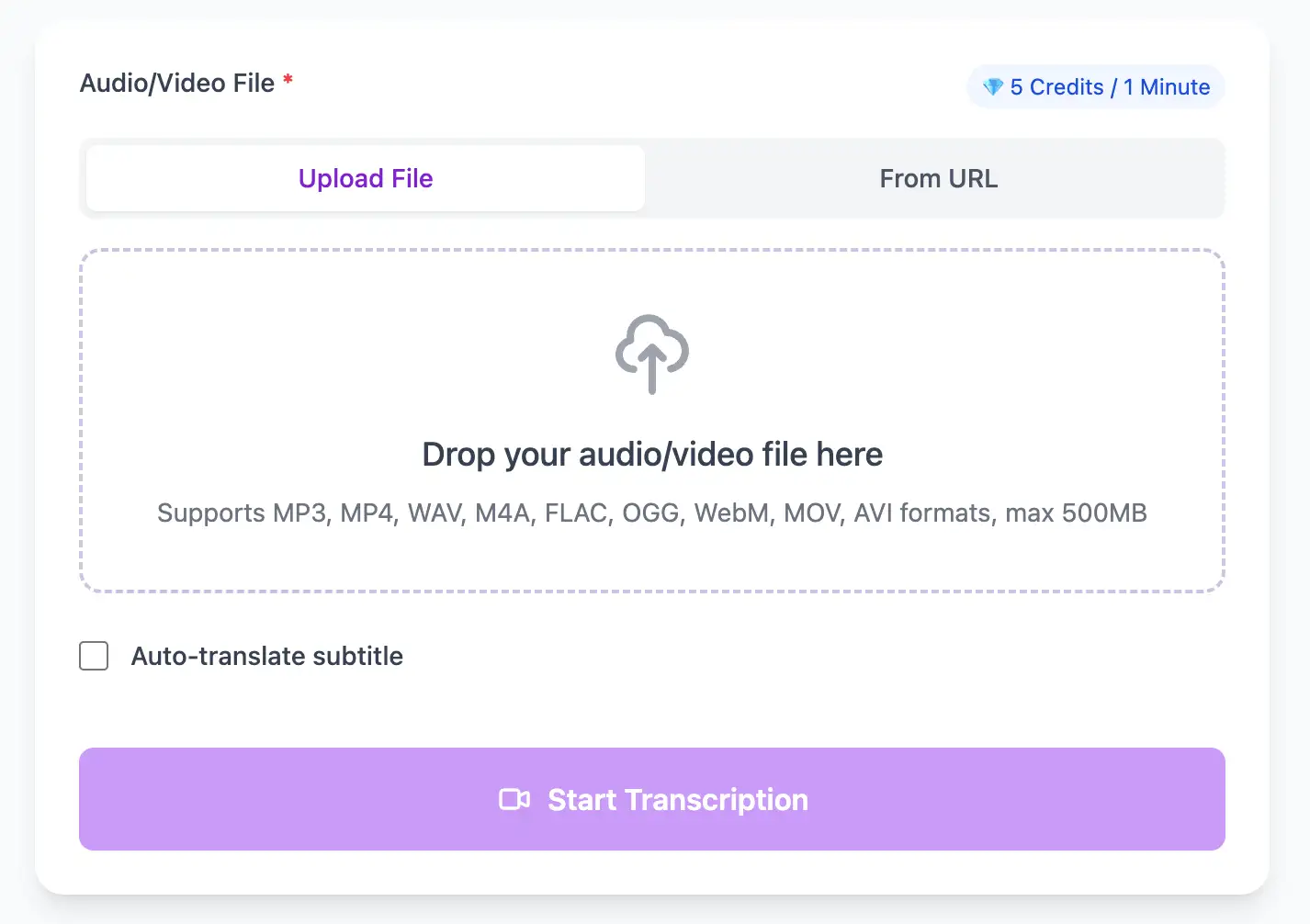
Extract perfect transcripts from MP4 video files. Generate frame-accurate subtitles in SRT/VTT format, ready for video editing software and social media platforms.
Export MP4 video transcripts as professional SRT, VTT subtitle files, or as TXT, PDF, DOCX, CSV (with or without timestamps).
Explore converters for formats similar to MP4
Generate transcripts that align perfectly with your timeline exports.
Remove music-only segments before upload so captions focus on spoken dialogue.
Use the frame-accurate timestamps to align captions with your NLE timeline.
Export SRT/VTT for platforms, and TXT, PDF, DOCX, or CSV (with or without timestamps) for script approvals.
Editors and teams shipping captions faster.
“We cut review time in half because the transcript matches the edit exactly.”
Elena Rossi
Post-Production Lead
“Caption exports drop straight into Premiere with no re-timing.”
Darius Kim
Video Editor
Move between browser recordings and studio edits.
Expert techniques for generating MP4 video subtitles and transcripts with perfect timing
If your video has a dedicated audio track, ensure it's not mixed with music or effects. Use your video editor to create a clean dialogue track before export, which dramatically improves transcription accuracy.
Stick to standard frame rates (23.976, 24, 25, 29.97, 30, 60fps) for perfect timestamp alignment. Non-standard frame rates can cause subtle sync drift when importing SRT files back into editing software.
Export MP4 with AAC audio at 192kbps minimum. Higher quality audio directly correlates to better transcription results, especially for videos with background music or ambient noise.
When exporting from professional NLEs like Premiere or Final Cut, embed timecode metadata. This allows 1bit.ai to match transcripts to your project timeline exactly, saving time in post-production.
Transform MP4 files into searchable text, subtitles, and actionable insights for your specific workflow
Convert MP4 videos into SRT/VTT subtitles for YouTube, TikTok, and Instagram.
Turn lecture recordings, classes or webinars into searchable notes or bilingual subtitles.
Create multi-language captions for MP4 ads and demos—clean exports, no watermark.
Convert MP3, WAV, M4A, and OGG into readable text or timestamped subtitles for blogs or show notes.
Upload your MP4 video or paste a link, then download SRT/VTT subtitles or plain text transcripts
Upload audio and video files from your local device or simply paste a YouTube link
Click 'Transcribe' and wait for transcribing. It usually takes less than a minute to transcribe a 1-hour file
Export transcribed text as TXT, SRT, VTT, PDF, DOCX, or CSV—with or without timestamps.
Professional MP4 video transcription with subtitle generation, translation, and export options
Process MP4 videos encoded with H.264, H.265/HEVC, or AV1 codecs. Supports multi-track audio and up to 4K resolution video streams.
Generate frame-accurate SRT and VTT subtitle files, or export as PDF, DOCX, or CSV (with or without timestamps) for Premiere Pro, Final Cut, DaVinci Resolve, or any NLE.
Transcribe once, then auto-translate the subtitle to 100+ languages—perfect for global audiences.
Create a free account and receive instant credits to test full transcription + translation—no payment info required.
Frame-perfect time codes let you upload subtitles straight to YouTube, VLC, Premiere Pro, TikTok.
All exported subtitle files are clean—no branding, no credit line, 100 % usable in professional workflows.
Get answers to common questions about MP4 transcription and speech to text conversion
Yes, our AI uses audio source separation technology to isolate dialogue from background music and sound effects. However, for best results, we recommend providing a clean dialogue track when possible.
We support MP4 files up to 1GB on our standard plan. For larger files (common in 4K productions), consider extracting the audio track first or contact our enterprise team for bulk processing solutions.
Yes, we generate timecodes synchronized to your video's frame rate. Our SRT and VTT files import perfectly into Premiere Pro, Final Cut, DaVinci Resolve, and other professional NLEs without manual adjustment.
Yes, if your MP4 contains multiple audio tracks, our system will automatically select the primary dialogue track. You can also extract and upload specific tracks separately for precise control over which audio gets transcribed.
Save YouTube videos or convert to MP4. Login once, use for free—no ads.
No credit card · 100+ languages · Results in minutes
Complete 7 consecutive days to collect higher rewards. Missing a day resets the streak.
Day 1
Today
Day 2
Upcoming
Day 3
Upcoming
Day 4
Upcoming
Day 5
Upcoming
Day 6
Upcoming
Day 7
Upcoming