1
Consolidate the final mix
Bounce a single WAV file per session so the transcript matches your final edit.
Upload any WAV file and get the most accurate transcript possible. Speaker labels, precise timestamps. Export SRT, VTT, TXT, PDF, DOCX, or CSV (with or without timestamps). Free credits — no software to install.
WAV files are the gold standard for audio quality, capturing every nuance of a recording without compression loss. However, this high fidelity results in massive file sizes that can be difficult to manage and slow to transcribe. 1bit.ai's WAV to text engine is optimized for these large-scale files, providing the highest possible transcription accuracy for professional studio recordings. Whether it's a lossless interview, a legal deposition, or a high-end podcast, our AI leverages the uncompressed data in WAV files to achieve near-perfect word error rates (WER).
1bit.ai handles all WAV variants, including PCM and ADPCM. Our high-speed upload infrastructure is designed to manage large WAV files efficiently. By utilizing the full frequency spectrum available in WAV audio, our AI can distinguish between speakers with similar voices more effectively than on compressed formats.
Oral Historians: Preserve every detail of long-form interviews with high-fidelity transcripts and timestamps.
Legal Professionals: Transcribe depositions and court recordings from WAV files with the precision required for legal evidence.
Music Producers: Turn session recordings and voice-over tracks into searchable text for project management.
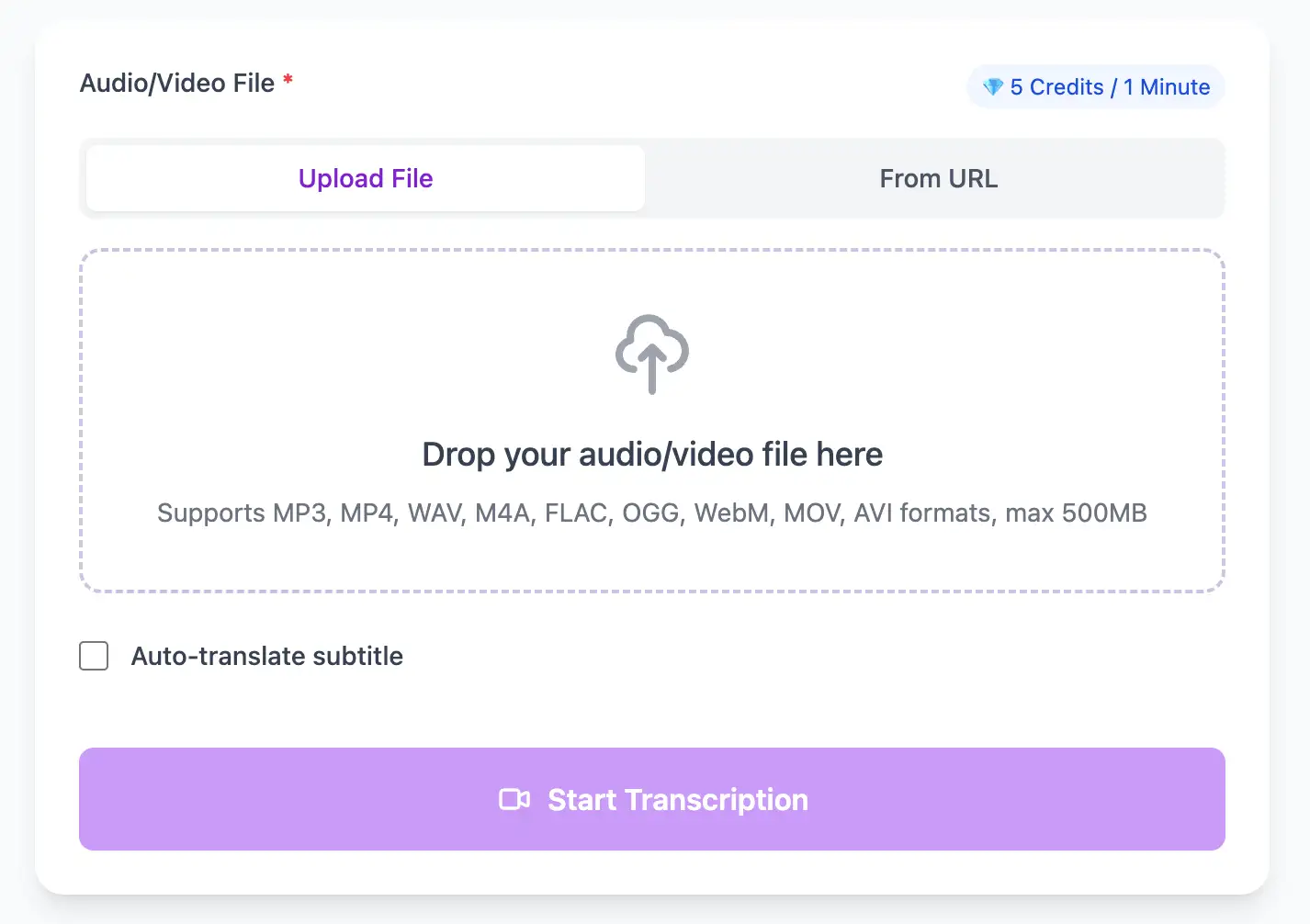
Leverage the full fidelity of WAV files for maximum transcription accuracy. Our AI processes uncompressed audio to capture every nuance, delivering studio-grade transcripts with precise timestamps.
Export WAV audio transcripts as TXT, SRT, VTT, PDF, DOCX, or CSV (with or without timestamps).
Explore converters for formats similar to WAV
Keep fidelity high and deliver transcripts that match professional audio timelines.
Bounce a single WAV file per session so the transcript matches your final edit.
Use the high-speed uploader to handle long-form, high-fidelity recordings.
Choose SRT, VTT, TXT, PDF, DOCX, or CSV (with or without timestamps) to keep time-aligned notes for editing and review.
High-fidelity audio, high-confidence transcripts.
“The transcript captured every nuance of the session, even subtle speaker changes.”
Claire Nguyen
Studio Engineer
“We rely on WAV for depositions, and the transcript quality holds up in legal review.”
Daniel Ortiz
Litigation Support
Compare lossless formats and production workflows.
Pro tips for converting WAV audio to text with maximum accuracy and efficiency
Never convert a compressed format to WAV and expect better results. Always record originally in WAV or convert from lossless source formats (FLAC, AIFF) to preserve quality.
Record at 48kHz for video work or 44.1kHz for pure audio. Higher sample rates (96kHz+) don't improve transcription but create larger files. For speech, 16-bit depth is sufficient; 24-bit is ideal for archival.
Keep dialogue peaks between -12dB and -6dB. Too quiet and the AI struggles with noise; too loud and clipping distorts speech. Use a compressor during recording, not after.
Use the BWF (Broadcast Wave Format) variant to embed recording date, location, and equipment details. This metadata helps organize multi-session projects and improves long-term archival value.
Transform WAV files into searchable text, subtitles, and actionable insights for your specific workflow
Generate VTT or SRT subtitles for YouTube videos, TikTok, Instagram Reels and Facebook videos.
Record lectures in WAV format and convert to searchable study notes with auto-translation.
Create multi-language captions for ads, product demos and client deliverables—no watermark.
Convert WAV podcast files into readable text with speaker labels and timestamps for show notes.
Upload your WAV audio file, enable speaker detection, then export timestamped transcripts
Upload audio and video files from your local device or simply paste a YouTube link
Click 'Transcribe' and wait for transcribing. It usually takes less than a minute to transcribe a 1-hour file
Export transcribed text as TXT, SRT, VTT, PDF, DOCX, or CSV—with or without timestamps.
AI-powered WAV to text conversion with speaker detection, timestamps, and multi-language support
Handle studio-quality WAV files with PCM, ADPCM, and IEEE Float encoding. Support for sample rates from 8kHz to 192kHz.
Download the same transcript as WebVTT (.vtt), SubRip (.srt), plain text (.txt), PDF, DOCX, or CSV—with or without timestamps. One click, no re-processing.
Transcribe once, then auto-translate the subtitle to 100+ languages—perfect for global audiences.
Create a free account and receive instant credits to test full transcription + translation—no payment info required.
Leverage sample-accurate timing information from uncompressed WAV headers to generate timestamps with zero drift or offset.
All exported subtitle files are clean—no branding, no credit line, 100 % usable in professional workflows.
Get answers to common questions about WAV transcription and speech to text conversion
Yes, absolutely. WAV's uncompressed audio provides our AI with the full frequency spectrum, resulting in 1-2% higher accuracy compared to compressed formats. This is especially noticeable for difficult audio with accents or technical terminology.
Yes, our infrastructure is designed for professional studio files. We support WAV files up to 1GB on standard plans. For broadcast-quality or archival files larger than that, contact our team for optimized upload solutions.
Yes, we extract and preserve Broadcast Wave Format metadata including timecode, originator reference, description, and origination time. This metadata is included in transcript exports for archival and production tracking purposes.
Our AI works optimally with 44.1kHz or 48kHz sample rates (standard for audio and video respectively). Higher rates like 96kHz or 192kHz don't improve transcription but create larger files. For speech-only content, even 16kHz provides excellent results.
Save YouTube videos or convert to MP4. Login once, use for free—no ads.
No credit card · 100+ languages · Results in minutes
Complete 7 consecutive days to collect higher rewards. Missing a day resets the streak.
Day 1
Today
Day 2
Upcoming
Day 3
Upcoming
Day 4
Upcoming
Day 5
Upcoming
Day 6
Upcoming
Day 7
Upcoming