1
Trim in Voice Memos
Cut dead air in the iOS Voice Memos app before upload to speed transcription.
Recorded on iPhone? Upload your M4A or voice memo and get accurate text with speaker labels in minutes. Works on mobile browser. Free credits — no credit card needed.
The M4A format is the default for iPhone Voice Memos and many mobile recording apps, making it the primary tool for capturing thoughts on the go. However, mobile recordings often suffer from wind noise, distance from the microphone, or low volume. 1bit.ai's M4A to text converter is specifically tuned to handle these mobile-first audio challenges. We use specialized algorithms to enhance vocal clarity in M4A files, ensuring that even a quick note taken in a busy cafe can be transcribed with 99% accuracy. No more struggling to replay faint recordings—get the text you need instantly.
We support the ALAC (lossless) and AAC (compressed) versions of M4A. Our 'Voice Enhancement' feature automatically boosts low-gain speech found in many mobile recordings. The 1bit.ai interface is mobile-responsive, allowing you to upload and transcribe M4A files directly from your phone's browser.
Students: Record study groups or lectures on your iPhone and get accurate notes by transcribing the M4A files.
Journalists: Transcribe field interviews recorded on mobile devices immediately after the event.
Creative Writers: Dictate story ideas into your phone and use 1bit.ai to turn your voice into a written draft.
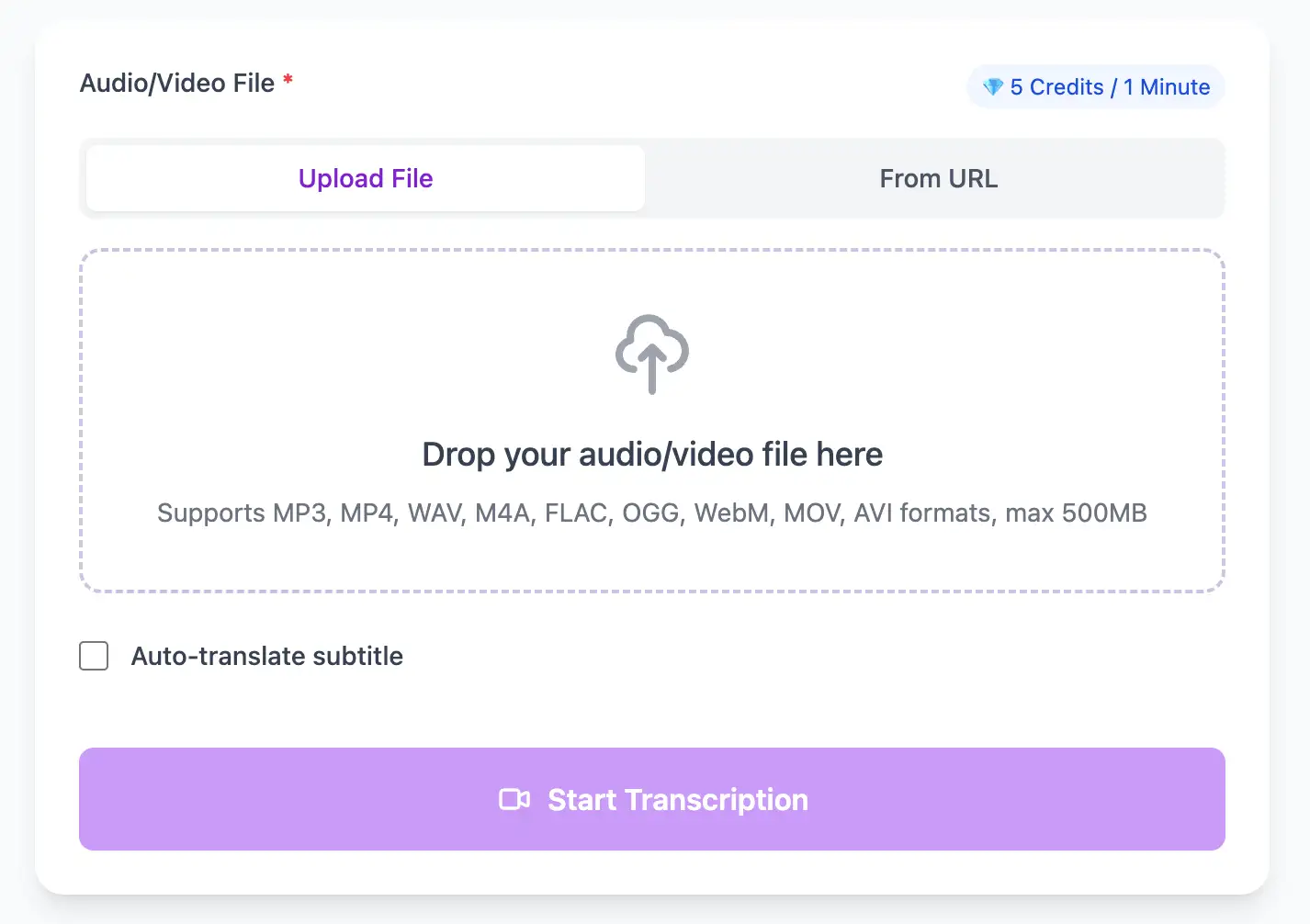
Optimized for M4A files from mobile devices. Our voice enhancement technology boosts low-gain speech and filters background noise for clear, accurate transcripts from recordings captured on the go.
Export M4A audio transcripts as TXT, SRT, VTT, PDF, DOCX, or CSV (with or without timestamps).
Explore converters for formats similar to M4A
Capture on mobile, transcribe on the go, and export into your note system.
Cut dead air in the iOS Voice Memos app before upload to speed transcription.
Enable voice enhancement to boost quiet recordings captured in noisy environments.
Download TXT, DOCX, PDF, or CSV (with or without timestamps) and paste into Notion, Evernote, or a shared team doc.
Real outcomes from phone-recorded audio.
“I upload straight from my iPhone and get clean notes before I leave the interview.”
Hannah Moore
Reporter
“Voice memos used to pile up. Now they turn into usable drafts fast.”
Samir Patel
Product Manager
Switch between phone and studio audio with ease.
Pro tips for converting M4A audio to text with maximum accuracy and efficiency
In Settings > Voice Memos, enable "Lossless" quality if storage allows. For most users, "Compressed" is fine, but hold the iPhone 6-12 inches from your mouth and avoid recording in your pocket.
When recording outdoors, cup your hand around the iPhone's bottom mic or use a simple foam windscreen. Wind noise is the #1 cause of transcription errors in mobile recordings.
Enable Airplane Mode during important recordings to prevent cellular interference (that digital buzzing sound) which can disrupt speech recognition algorithms.
Always export M4A files to a computer or cloud storage before deleting from your iPhone. Cloud transcription services like 1bit.ai can process files faster when uploaded from a stable connection.
Transform M4A files into searchable text, subtitles, and actionable insights for your specific workflow
Generate VTT or SRT subtitles for YouTube videos, TikTok, Instagram Reels and Facebook videos.
Record lectures in M4A format and convert to searchable study notes with auto-translation.
Create multi-language captions for ads, product demos and client deliverables—no watermark.
Convert M4A podcast files into readable text with speaker labels and timestamps for show notes.
Upload your M4A audio file, enable speaker detection, then export timestamped transcripts
Upload audio and video files from your local device or simply paste a YouTube link
Click 'Transcribe' and wait for transcribing. It usually takes less than a minute to transcribe a 1-hour file
Export transcribed text as TXT, SRT, VTT, PDF, DOCX, or CSV—with or without timestamps.
AI-powered M4A to text conversion with speaker detection, timestamps, and multi-language support
Native processing of both AAC-compressed and ALAC lossless M4A files recorded on iPhone, iPad, Mac, and Apple Watch devices.
Download the same transcript as WebVTT (.vtt), SubRip (.srt), plain text (.txt), PDF, DOCX, or CSV—with or without timestamps. One click, no re-processing.
Transcribe once, then auto-translate the subtitle to 100+ languages—perfect for global audiences.
Create a free account and receive instant credits to test full transcription + translation—no payment info required.
Frame-perfect time codes let you upload subtitles straight to YouTube, VLC, Premiere Pro, TikTok.
All exported subtitle files are clean—no branding, no credit line, 100 % usable in professional workflows.
Get answers to common questions about M4A transcription and speech to text conversion
Yes, absolutely. We use AES-256 encryption for all uploads and processing. Files are automatically deleted from our servers 7 days after transcription completes, and you can manually delete them immediately if needed.
Yes, our AI includes noise reduction specifically trained on mobile recording environments. We can handle traffic noise, cafe ambiance, wind, and indoor echo that commonly affect iPhone Voice Memo recordings.
Yes, we fully support both AAC-compressed and ALAC lossless M4A files. ALAC provides marginally better accuracy (similar to WAV), but AAC at iPhone's default settings already delivers excellent transcription quality.
Yes, our web interface is fully mobile-optimized. Open Safari or Chrome on your iPhone, browse to 1bit.ai, and upload M4A files directly from the Files app or Voice Memos without needing a computer.
Save YouTube videos or convert to MP4. Login once, use for free—no ads.
No credit card · 100+ languages · Results in minutes
Complete 7 consecutive days to collect higher rewards. Missing a day resets the streak.
Day 1
Today
Day 2
Upcoming
Day 3
Upcoming
Day 4
Upcoming
Day 5
Upcoming
Day 6
Upcoming
Day 7
Upcoming