1
Paste a YouTube URL (or upload audio/video)
If the link is not accessible, upload a file export instead (MP4/MOV/WebM/MP3/M4A).
Generate time-aligned SRT captions you can import into players and editors. Create a transcript once, then export multiple formats.
SRT is the practical format for SRT subtitles: it is lightweight, web-friendly, and supported across players and publishing workflows. If your source is YouTube, exporting SRT lets you publish accessible captions, create searchable archives, and reuse clips without rewriting text.
We generate a timestamped transcript first, then format it into SRT cues. This matters because timing quality determines readability: good cues reduce flicker, keep phrases intact, and align closely to spoken segments.
Subtitle delivery: Add captions to video players and web pages with minimal overhead.
Editing workflows: Keep a transcript and caption file aligned to speed up review and cut-downs.
Compliance & accessibility: Provide text alternatives for viewers who cannot play audio.
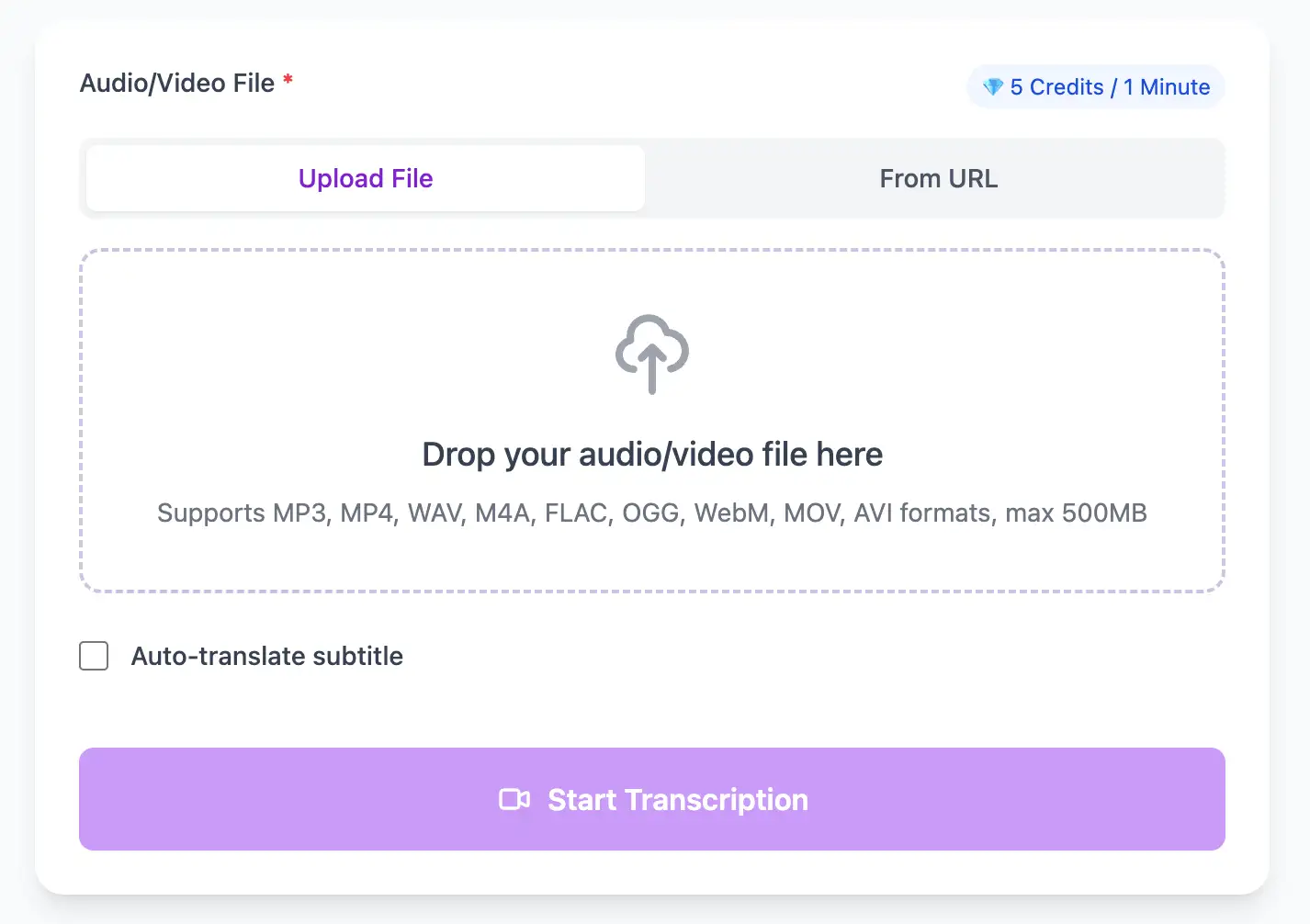
With AI technology, you can quickly turn your audio and video files into text in just a few minutes. It supports 98 languages and a range of formats including MP3, MP4, WAV, M4A, and more.
Export transcribed text as TXT, SRT, VTT, PDF, DOCX, or CSV (with or without timestamps).
Explore converters for formats similar to YouTube → SRT
A simple workflow that keeps timing and readability consistent.
If the link is not accessible, upload a file export instead (MP4/MOV/WebM/MP3/M4A).
A transcript is the source-of-truth; you can edit names and punctuation before exporting captions.
Download SRT for captions, or export SRT/TXT/PDF/DOCX/CSV depending on your workflow.
Generate once, then export multiple caption formats for different destinations.
Professional techniques to maximize transcription accuracy and streamline your audio to text workflow
Clear audio is the foundation of accurate transcription. Use a quality microphone positioned 4-6 inches from the speaker, record in a quiet environment, and keep volume levels consistent throughout.
When uploading files, include relevant metadata like speaker names, topic, or industry. This context helps our AI better understand technical terminology and specialized vocabulary specific to your field.
While our AI achieves up to 99% accuracy, always review transcripts for critical applications. Use the time-synced playback feature to quickly verify unclear sections by listening to the original audio.
Choose your export format based on end use: SRT/VTT for video subtitles, plain text for documentation, Word/PDF/DOCX for professional reports (with or without timestamps), or CSV for spreadsheets. Using the right format saves time in downstream workflows.
Transform YouTube → SRT files into searchable text, subtitles, and actionable insights for your specific workflow
Generate VTT or SRT subtitles for YouTube videos, TikTok, Instagram Reels and Facebook videos.
Turn lecture recordings, classes or webinars into searchable notes or bilingual subtitles.
Create multi-language captions for ads, product demos and client deliverables—no watermark.
Convert MP3, WAV, M4A, and OGG into readable text or timestamped subtitles for blogs or show notes.
Upload a file or paste a link, pick your output, then download clean text or subtitles with timestamps
Upload audio and video files from your local device or simply paste a YouTube link
Click 'Transcribe' and wait for transcribing. It usually takes less than a minute to transcribe a 1-hour file
Export transcribed text as TXT, SRT, VTT, PDF, DOCX, or CSV—with or without timestamps.
AI-powered speech to text conversion with advanced features for professional transcription
Paste any public link—YouTube, Vimeo, Google Drive, TikTok—and receive VTT/SRT/Text without downloading the file.
Download the same transcript as WebVTT (.vtt), SubRip (.srt), plain text (.txt), PDF, DOCX, or CSV—with or without timestamps. One click, no re-processing.
Transcribe once, then auto-translate the subtitle to 100+ languages—perfect for global audiences.
Create a free account and receive instant credits to test full transcription + translation—no payment info required.
Frame-perfect time codes let you upload subtitles straight to YouTube, VLC, Premiere Pro, TikTok.
All exported subtitle files are clean—no branding, no credit line, 100 % usable in professional workflows.
Get answers to common questions about YouTube → SRT transcription and speech to text conversion
Yes. We offer free credits when you register so you can try full transcription, speaker identification, and exports (SRT, VTT, TXT, Word, PDF, DOCX, CSV) before committing to a paid plan.
We support MP3, WAV, M4A, FLAC, OGG, MP4, MOV, WebM, and AVI, plus direct URLs from YouTube, Vimeo, and similar platforms—no need to download the file first.
Yes. Standard plans support files up to 1GB. For longer or higher-resolution content, you can extract the audio track to reduce size, or contact us for enterprise options.
Yes. You can export as SRT or VTT for subtitles, plain TXT, Word, PDF, DOCX, or CSV. PDF and DOCX are available with or without timestamps. Subtitle files are frame-accurate and work with Premiere Pro, DaVinci Resolve, YouTube, and other platforms.
We support TXT, SRT, VTT, PDF, DOCX, and CSV. For PDF and DOCX you can choose versions with timestamps (for subtitles and reports) or plain text only. CSV is ideal for spreadsheets and data analysis.
We support 100+ languages, including English, Chinese (Mandarin and Cantonese), Spanish, French, German, Japanese, Arabic, Hindi, Portuguese, and many more, with strong support for accents and code-switching.
Processing is typically around 10:1—for example, a 1-hour file is usually ready in about 6 minutes. Very long or low-quality files may take a bit longer.
Yes. We use AES-256 encryption for uploads and processing. Your files are not shared with third parties and are automatically deleted from our servers 7 days after processing. You can also delete them manually at any time.
Our AI achieves up to 99% accuracy for clear audio. It handles accents, multiple speakers, and moderate background noise well. Most professional content reaches 95–98% accuracy without editing.
Yes. Export as SRT or VTT for frame-accurate subtitles, or as PDF, DOCX, or CSV (with or without timestamps) for reports. Works with Premiere Pro, Final Cut, DaVinci Resolve, YouTube, and other platforms.
Save YouTube videos or convert to MP4. Login once, use for free—no ads.
No credit card · 100+ languages · Results in minutes
Complete 7 consecutive days to collect higher rewards. Missing a day resets the streak.
Day 1
Today
Day 2
Upcoming
Day 3
Upcoming
Day 4
Upcoming
Day 5
Upcoming
Day 6
Upcoming
Day 7
Upcoming