The Best Free Otter.ai Alternative

1bit.ai transcribes audio AND video in 100+ languages. Upload MP3, MP4, YouTube links, Zoom recordings and more. Free credits included—no credit card required.

10+ Formats
100+ Languages
AI-Powered
Live Demo

Otter.ai Alternative Transcription Guide

Otter.ai is great for live meeting transcription, but it has real limitations: no video file support, only English and a handful of languages, no YouTube URL transcription, and no SRT/VTT subtitle export. 1bit.ai fills every one of those gaps. Whether you need to transcribe a Zoom MP4, extract subtitles from a YouTube video, convert a Spanish podcast to text, or get SRT captions for a client video—1bit.ai does it all, with free credits to get started.

Technical Specs

Unlike Otter.ai, which is designed primarily for live English-language meeting transcription, 1bit.ai is a full-stack audio and video transcription platform. We support 10+ file formats (MP3, MP4, WAV, M4A, MOV, AVI, WebM, OGG, FLAC), YouTube and Vimeo URL processing, 100+ languages with automatic language detection, and three export formats (TXT, SRT, VTT). Our Whisper-based AI models deliver 99% accuracy on clear audio.

High Accuracy
Fast Processing
Multi-format

Where 1bit.ai Beats Otter.ai

1

Video Transcription: Otter.ai only transcribes audio. 1bit.ai handles MP4, MOV, AVI, WebM, and YouTube URLs—no format conversion needed.

2

100+ Languages: Otter.ai supports only 6 languages. 1bit.ai transcribes in Spanish, French, Chinese, Japanese, Arabic, Hindi, and 95+ more.

3

SRT & VTT Subtitles: Need captions for YouTube or video editing? 1bit.ai exports timed SRT and VTT files. Otter.ai does not.

4

YouTube URL Support: Paste any YouTube link directly into 1bit.ai. With Otter.ai, you'd need to download the audio first.

Free Otter.ai alternative - transcribe audio video in 100+ languages
Ultra Fast

Convert Speech to Text in Seconds

With AI technology, you can quickly turn your audio and video files into text in just a few minutes. It supports 98 languages and a range of formats including MP3, MP4, WAV, M4A, and more.

  • Process 1-hour Otter.ai Alternative files in less than a minute
  • High accuracy speech recognition with AI
  • Native Otter.ai Alternative format support with optimized decoding
Flexible Export

Export Otter.ai Alternative Transcripts in Multiple Formats

Export transcribed text as TXT, SRT, and VTT.

SRT / VTT / TXT
Export transcripts in multiple formats - SRT, VTT, TXT

Switch from Otter.ai to 1bit.ai in 3 Steps

No learning curve. If you've used any transcription tool, you'll be up and running in under a minute.

1

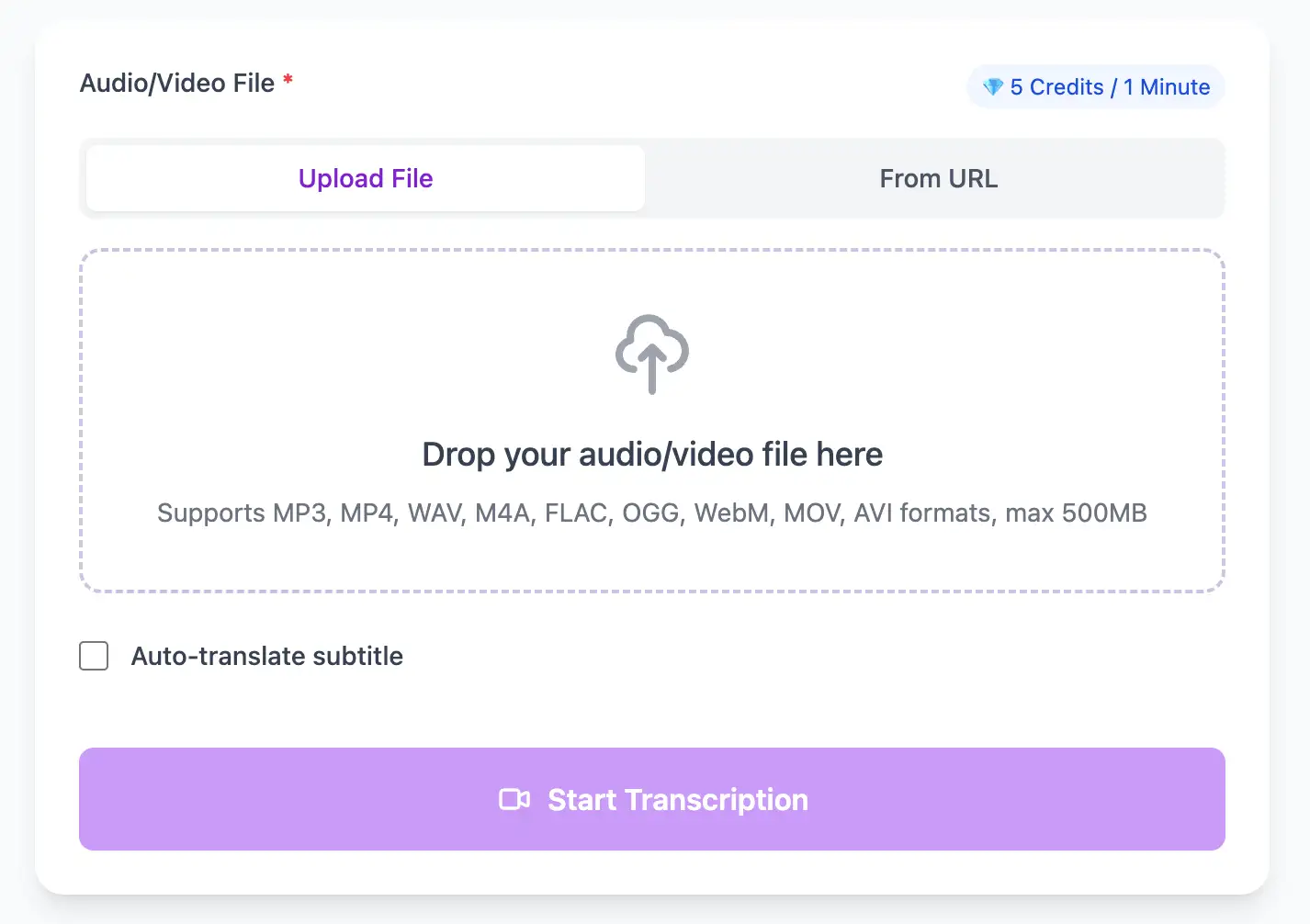
Upload your file or paste a link

Drag any audio or video file, or paste a YouTube / Vimeo / Zoom recording link. Otter.ai can't do video or YouTube—1bit.ai handles both.

2

Select language and transcribe

Choose from 100+ languages or let the AI auto-detect. Click Transcribe and get results in under 2 minutes per hour of content.

3

Export in your preferred format

Download TXT for plain notes, SRT or VTT for video subtitles—formats Otter.ai doesn't offer. Share a link or copy text directly.

Why Users Switched from Otter.ai

Real feedback from professionals who made the switch.

“Otter.ai couldn't handle my French interviews. 1bit.ai nailed them on the first try. The accuracy is remarkable.”

Camille Bernard

Journalist, Le Monde

“I needed SRT subtitles for client videos. Otter.ai doesn't export SRT. 1bit.ai made the switch a no-brainer.”

Ryan Torres

Video Producer

Tips for Switching from Otter.ai to 1bit.ai

Professional techniques to maximize transcription accuracy and streamline your audio to text workflow

Import Your Otter.ai Exports

Download your existing Otter.ai transcripts as DOCX or TXT. Use them as reference while re-transcribing files in 1bit.ai to compare accuracy—especially for non-English content where the difference is most noticeable.

Try Video Files Otter.ai Can't Handle

Upload MP4 or MOV recordings directly. Unlike Otter.ai which requires audio extraction first, 1bit.ai processes video natively—saving you the extra conversion step.

Explore Multi-Language Support

If you work in Spanish, French, Japanese, or any non-English language, test a sample recording immediately. Otter.ai's limited language support was likely a pain point—1bit.ai covers 100+ languages.

Export SRT for Video Projects

If you previously had to copy-paste Otter.ai text into a subtitle tool, use 1bit.ai's direct SRT/VTT export instead. Upload the file to YouTube Studio or your NLE for frame-accurate captions.

Perfect for Audio & Video Transcription Use Cases

Transform Otter.ai Alternative files into searchable text, subtitles, and actionable insights for your specific workflow

Convert Speech to Text in Three Easy Steps

Upload a file or paste a link, pick your output, then download clean text or subtitles with timestamps

1

Upload Audio File

Upload audio and video files from your local device or simply paste a YouTube link

2

Click Transcribe

Click 'Transcribe' and wait for transcribing. It usually takes less than a minute to transcribe a 1-hour file

3

Export as Text

Export transcribed text as TXT, SRT, and VTT.

Powerful Otter.ai Alternative Transcription Features

Supports 10+ file formats and 100+ languages—everything Otter.ai can't handle, including video files and YouTube URLs.

10+ Audio & Video Formats

MP3, MP4, WAV, M4A, MOV, AVI, WebM, OGG, FLAC—plus YouTube, Vimeo, and Zoom URLs. No format conversion needed.

Multi-Format Export

Download the same transcript as WebVTT (.vtt), SubRip (.srt) or plain text (.txt)—one click, no re-processing.

Built-in Translation

Transcribe once, then auto-translate the subtitle to 100+ languages—perfect for global audiences.

Free Credits on Sign-Up

Create a free account and receive instant credits to test full transcription + translation—no payment info required.

Accurate Timestamps

Frame-perfect time codes let you upload subtitles straight to YouTube, VLC, Premiere Pro, TikTok.

No Watermark

All exported subtitle files are clean—no branding, no credit line, 100 % usable in professional workflows.

Head-to-Head Comparison

1bit.ai vs Otter.ai: The Full Comparison

See exactly where 1bit.ai goes further—video files, 100+ languages, SRT export, and YouTube URLs Otter.ai can't handle.

Feature 1bit.ai Otter.ai Rev
Video file transcription (MP4/MOV)
YouTube URL transcription
Languages supported 100+ 6 36
SRT / VTT subtitle export
Free credits (no card required) Limited
Zoom recording upload
AI meeting summary
Speaker diarization
Podcast / long-form audio Limited
GDPR compliant

Frequently Asked Questions

Get answers to common questions about Otter.ai Alternative transcription and speech to text conversion

Is 1bit.ai really free like Otter.ai?

Yes. New users receive free transcription credits on sign-up with no credit card required. Our free tier covers enough minutes to try all features, and paid plans are competitively priced.

Can 1bit.ai transcribe video files like Zoom recordings?

Yes. Unlike Otter.ai which only processes audio, 1bit.ai supports MP4, MOV, AVI, WebM, and other video formats directly. Upload a Zoom recording and get a speaker-labeled transcript in minutes.

Does 1bit.ai support more languages than Otter.ai?

Significantly more. Otter.ai supports 6 languages. 1bit.ai supports 100+ languages including Spanish, French, German, Chinese, Japanese, Arabic, Hindi, Portuguese, and dozens more.

Can I export subtitles as SRT or VTT?

Yes. 1bit.ai exports transcripts as TXT, SRT, and VTT. Otter.ai only exports DOCX and PDF—no subtitle formats. 1bit.ai is the better choice for video creators and accessibility work.

Does 1bit.ai work with YouTube links?

Yes. Paste any public YouTube URL into 1bit.ai and get a transcript instantly—no downloading required. This is a key feature Otter.ai lacks entirely.

How does 1bit.ai accuracy compare to Otter.ai?

Both use advanced AI, but 1bit.ai's Whisper-based models perform especially well on non-English audio and technical vocabulary, areas where Otter.ai struggles due to its English-first training approach.

No credit card · 100+ languages · Results in minutes