image
Find the perfect AI art style for your design
Know what you want to make but not how to describe the look? Type your idea or upload a photo and AI recommends three styles to compare side by side. Pick one, or browse 220 tested styles, and get an image in that exact look. Save the styles you love and reuse them any time.
Style Palette AI
Find the perfect AI art style for your idea: compare recommended styles, then create or restyle in that exact look.
Open full workspace50 credits per image, with or without a photo. Style recommendations are free.
Highlights
From "I can't describe it" to the right look
Recommended for your idea
Describe what you are making (a café poster, a bedtime story, a product shot) and get three clearly different styles that suit it, each with a one-line reason. Comparing is free; you only pay when you generate.
See the look before you pick
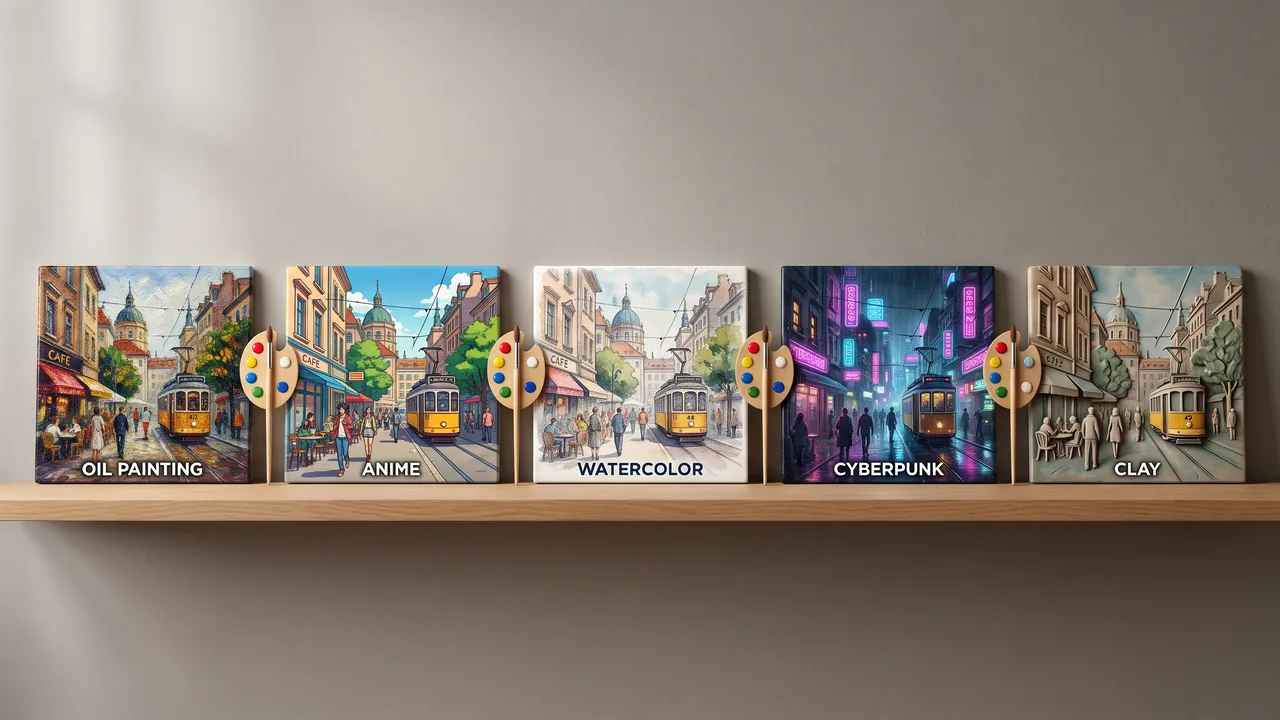
Every style has a preview of the same scene, so the difference between a watercolor storybook, 90s anime and paper craft is obvious at a glance.
Your styles, reusable
Favorite the styles that work for you. Recent keeps the ones you used last, including the ones Auto picked, so your next image matches your last.
Restyle your photos
Turn a photo into a storybook page, an anime still or a photo-and-ink-wash split. Faces, pets, poses and composition stay recognisable.
How it works
How Style Palette AI works
- 1
Describe or upload
Write your idea, upload a photo to restyle, or both.
- 2
Compare recommended styles
Get three recommended styles, open Featured or your Favorites, or search the library.
- 3
Generate and reuse
Your image arrives in about a minute. Favorite the style to use it again next time.
Capabilities
What it handles well right now
Common jobs
Styles for every kind of design

Also in Canva
Style Palette AI for Canva
Use the same tool inside the Canva editor. Results land on your design, ready to edit.
Related workflow
More in Image Creation & Editing
Generate, edit, restore, and upscale images — the general-purpose image pipeline.
AI Image Generator
Create images and art from text prompts with AI.
AI Image Editor
Edit photos with simple text prompts, powered by Nano Banana.
AI Image Combine
Merge up to 6 photos into one seamless AI composition.
AI Sketch Maker
Turn any photo into a pencil sketch, ink drawing, line art, charcoal portrait, or one of 13 hand-drawn styles.
AI Emoji Stickers
Turn one subject into a coordinated emoji sticker set across expressions, reactions, occasions, and costumes.
AI Character Pose Pack
Turn one character photo into a whole pack of poses — same face, same outfit, new gestures.
FAQ