Export or share your Zoom recording
Download the MP4 (video) or M4A (audio only) from Zoom's local or cloud recordings, or copy the shared recording link from the Zoom portal.
Upload your Zoom MP4 or M4A export and get a full transcript with speaker labels, timestamps, and AI-generated meeting minutesâno Zoom subscription needed.
Zoom meetings generate hours of valuable discussion every week, but without a transcript, decisions and action items get lost in re-watches and fragmented notes. 1bit.ai connects directly to your Zoom recording exportsâupload the MP4 or M4A file, or paste the shared recording linkâand delivers a speaker-labeled transcript in minutes. Our AI identifies each participant, marks timestamps, and extracts the action items and decisions discussed so your team can move forward without another meeting.
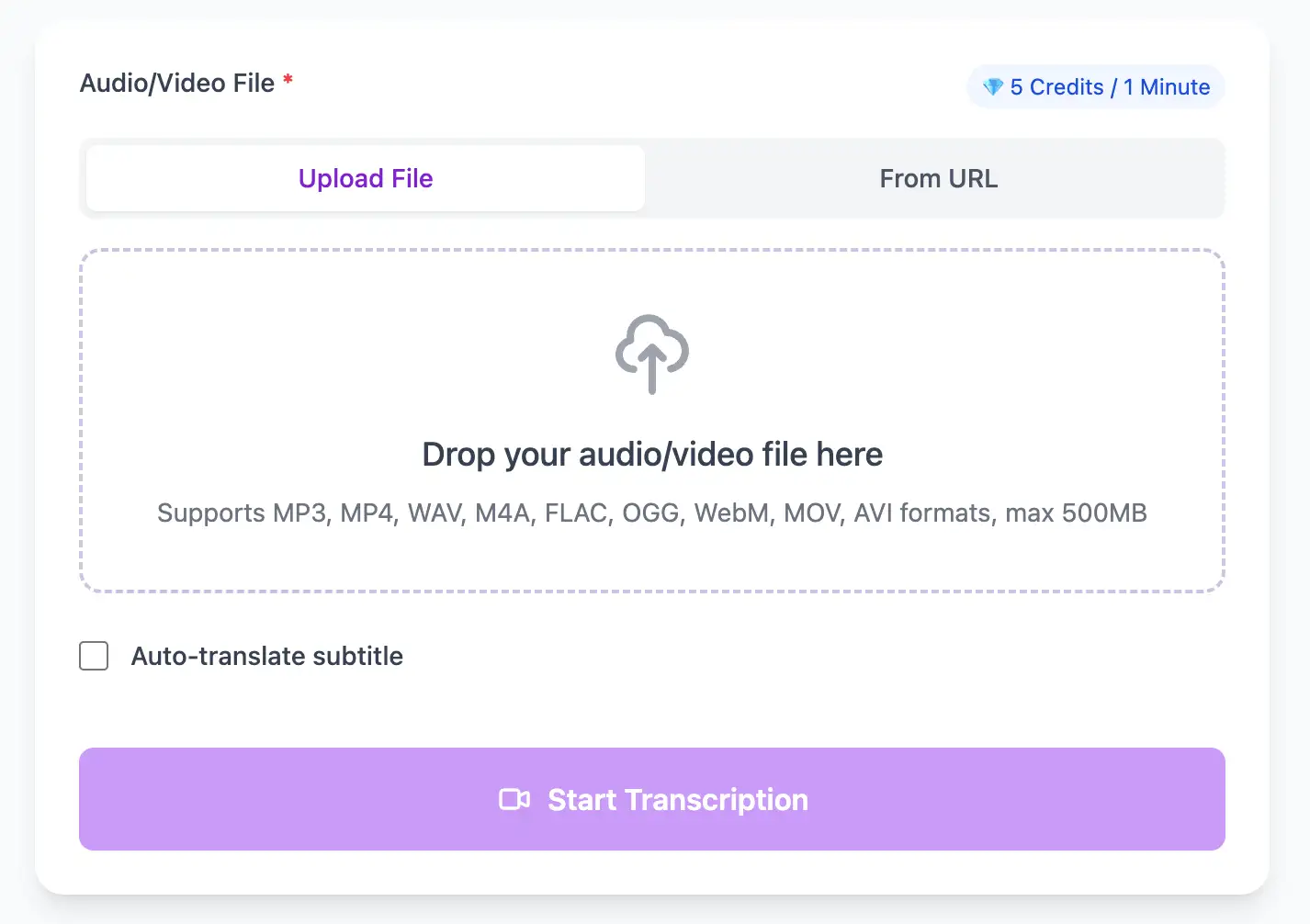
1bit.ai supports all Zoom recording export formats: local MP4 video recordings, M4A audio-only recordings, and cloud recording shared links. Our multi-speaker diarization engine handles up to 20+ participants and adapts to Zoom's compressed audio codec, ensuring accurate attribution even in large group calls with varying microphone quality.
Engineering Standups: Capture technical decisions and ticket references from daily standups without manual note-taking slowing the team down.
Client Calls: Deliver professional meeting recaps to clients hours after the call, reinforcing commitments and building trust.
HR & Interviews: Build a searchable archive of candidate interviews to compare answers fairly and reduce hiring bias.
All-Hands Meetings: Make company-wide announcements accessible to global teams through accurate, searchable transcripts they can read in their own time.
Extract perfect transcripts from Zoom Meeting video files. Generate frame-accurate subtitles in SRT/VTT format, ready for video editing software and social media platforms.
Export Zoom Meeting video transcripts as professional SRT and VTT subtitle files for video editing, or download as TXT.
Explore converters for formats similar to Zoom Meeting
From raw Zoom export to polished meeting minutes in three quick steps.
Download the MP4 (video) or M4A (audio only) from Zoom's local or cloud recordings, or copy the shared recording link from the Zoom portal.
Drag and drop the file or paste the link. Select the meeting language and enable speaker diarization for labeled speaker turns.
Edit speaker names, highlight action items, and export the transcript as TXT, SRT, or share a live link with your team directly.
Real feedback from teams who ditched manual note-taking.
âWe send a recap transcript to every client 30 minutes after the call. Our NPS score jumped 18 points.â
Sarah Kim
Customer Success Manager
âOur engineering team stopped losing track of architecture decisions. The searchable Zoom transcripts are a game-changer.â
Alexei Novak
Engineering Lead
Transcribe calls and recordings from any platform.
Expert techniques for generating Zoom Meeting video subtitles and transcripts with perfect timing
In Zoom settings, choose "Local Recording" over cloud recording. Local MP4 files retain higher audio quality than Zoom's cloud-compressed versions, resulting in 5-10% better transcription accuracy.
In Zoom audio settings, turn on "Original Sound" and disable "Automatically adjust microphone volume." This prevents Zoom's noise suppression from clipping soft speech that the transcription engine needs.
Begin meetings with a quick round of introductions. Saying "Hi, this is [name]" gives our AI a voice sample to map each participant, improving speaker label accuracy throughout the transcript.
Remove the waiting-room period (before the meeting starts) from the recording before uploading. This reduces processing time and prevents generic "no audio" segments appearing in your transcript.
Transform Zoom Meeting files into searchable text, subtitles, and actionable insights for your specific workflow
Generate VTT or SRT subtitles for YouTube videos, TikTok, Instagram Reels and Facebook videos.
Turn lecture recordings, classes or webinars into searchable notes or bilingual subtitles.
Create multi-language captions for Zoom Meeting ads and demosâclean exports, no watermark.
Convert MP3, WAV, M4A, and OGG into readable text or timestamped subtitles for blogs or show notes.
Upload your Zoom Meeting video or paste a link, then download SRT/VTT subtitles or plain text transcripts
Upload audio and video files from your local device or simply paste a YouTube link
Click 'Transcribe' and wait for transcribing. It usually takes less than a minute to transcribe a 1-hour file
Export transcribed text as TXT, SRT, and VTT.
Professional Zoom Meeting video transcription with subtitle generation, translation, and export options
Upload Zoom local recordings (MP4 or M4A) or paste a Zoom shared cloud-recording link. No Zoom subscription or plugin required.
Download the same transcript as WebVTT (.vtt), SubRip (.srt) or plain text (.txt)âone click, no re-processing.
Transcribe once, then auto-translate the subtitle to 100+ languagesâperfect for global audiences.
Create a free account and receive instant credits to test full transcription + translationâno payment info required.
Frame-perfect time codes let you upload subtitles straight to YouTube, VLC, Premiere Pro, TikTok.
All exported subtitle files are cleanâno branding, no credit line, 100 % usable in professional workflows.
Get answers to common questions about Zoom Meeting transcription and speech to text conversion
Yesâpaste the Zoom shared recording link into 1bit.ai and we'll fetch and transcribe it automatically. No download required.
Absolutely. Our speaker diarization engine identifies and labels individual speakers, even in large meetings with 10+ participants.
We support the MP4 video recording and M4A audio-only formats that Zoom exports by default, as well as shared cloud recording links.
Yes. Files are encrypted in transit and at rest, processed only for transcription, and deleted automatically after 7 days. We are GDPR compliant and never share your data.
Yes. After transcription, our AI summarizes key discussion points, decisions, and action itemsâready to copy into your project management tool or email to attendees.
Typically under 6 minutes for a 1-hour recording. Audio-only M4A files process slightly faster than MP4 video recordings.
No credit card ¡ 100+ languages ¡ Results in minutes
Please sign in with Google Please enter your details to sign up. Enter the code we just sent to to verify your account. Complete your registration with your name and password. Enter your email to receive a reset code. Enter the code we just sent to to reset your password. Create a new password for your account.
Already have an account?